Website performance and user experience are no longer optional-they’re critical to online success. Google’s Core Web Vitals (CWV) are a set of performance metrics designed to measure how users actually experience a webpage. These signals directly influence search rankings, engagement, and conversions.
In today’s competitive digital landscape, understanding and optimizing Core Web Vitals is essential for every website owner, marketer, and developer.
What Are Core Web Vitals?
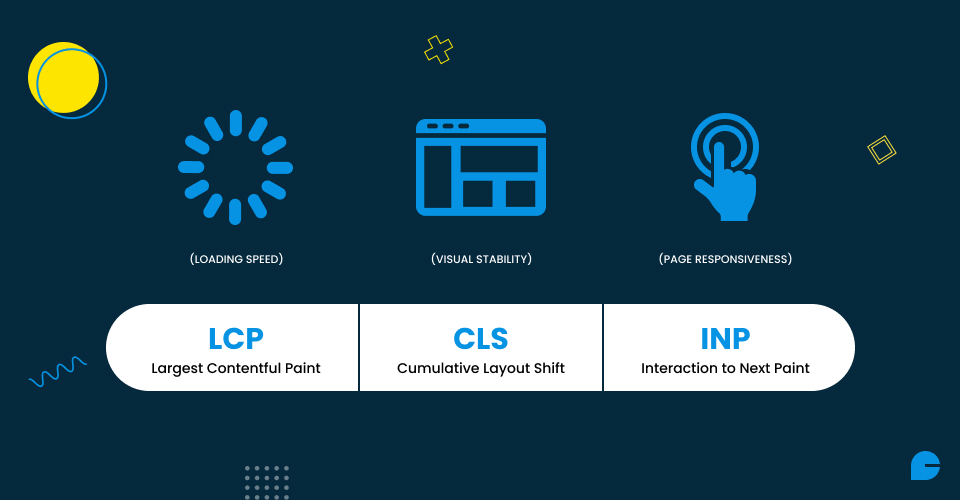
Core Web Vitals are a subset of Google’s Web Vitals initiative that focus on three key aspects of user experience:
- Largest Contentful Paint (LCP): How quickly the largest visible element (such as an image, video, or text block) loads on a page.
- Interaction to Next Paint (INP): Introduced in 2024 to replace FID, INP measures how responsive a page is to user interactions, like clicks or taps.
- Cumulative Layout Shift (CLS): How stable the page layout remains while loading-pages with shifting buttons, ads, or images create a poor user experience.
Together, these metrics give a holistic view of speed, responsiveness, and stability-the three pillars of great web usability.
Why Core Web Vitals Matter
Core Web Vitals (CWV) aren’t just another set of technical metrics for developers to track-they directly shape how users experience your website and, ultimately, how successful your business can be online.
1. Better User Experience
Websites that load quickly, respond instantly, and remain visually stable create a smooth browsing experience. Users are more likely to stay, explore, and trust a site that doesn’t frustrate them with delays or sudden layout shifts. This directly increases satisfaction and loyalty.
2. Improved SEO Rankings
Google uses Core Web Vitals as part of its ranking signals, meaning performance directly impacts visibility. A site with strong CWV metrics stands a better chance of appearing higher in search results, bringing in more organic traffic. Conversely, poor performance can push your site below competitors.
3. Higher Engagement & Conversions
Fast and stable websites keep users engaged and reduce bounce rates. When visitors can easily navigate without delays or disruptions, they’re more likely to interact, subscribe, or make a purchase. This directly boosts conversions and business growth.
4. Business Impact: Visibility & Profitability
For businesses, Core Web Vitals optimization is not just technical-it’s strategic. A well-performing site improves brand perception, attracts more visitors, and converts them into paying customers. This combination of visibility and profitability makes CWV essential for long-term success.
How to Measure Core Web Vitals
Several free and paid tools allow you to measure Core Web Vitals accurately:
- PageSpeed Insights: Google’s tool that analyzes performance and gives optimization suggestions.
- Chrome UX Report (CrUX): Provides real-world data from Chrome users.
- Chrome DevTools: A developer-friendly option to debug loading and performance issues.
- Google Search Console: Offers a dedicated Core Web Vitals report across your entire website.
- Real User Monitoring (RUM): Tracks performance data from actual users in real time.
By combining lab data (synthetic tests) with field data (real user behavior), you get a complete picture of how your site performs.
Deep Dive into Each Core Web Vital
1. Largest Contentful Paint (LCP)
Goal: LCP should occur within 2.5 seconds of the page starting to load.
Common Issues: Large unoptimized images, render-blocking scripts, and slow server response times.
Fixes:
- Use modern image formats (WebP, AVIF)
- Implement lazy loading for non-critical media
- Improve server performance with caching and CDNs
2. Interaction to Next Paint (INP)
Goal: INP should be under 200 milliseconds for a good score.
Why It Matters: Unlike the old FID metric, INP measures the responsiveness of all interactions, giving a more accurate view of user experience.
Fixes:
- Minimize heavy JavaScript execution
- Break long tasks into smaller chunks
- Optimize event handlers for buttons and forms
3. Cumulative Layout Shift (CLS)
Goal: CLS should be less than 0.1.
Common Issues: Unexpected shifts caused by ads, images without size attributes, or late-loading fonts.
Fixes:
- Reserve space for ads, videos, and images
- Preload web fonts to avoid “flash of unstyled text”
- Avoid inserting content above existing elements
Read more: How to Create Sustainable Websites: 7 Proven Techniques
Strategies & Best Practices to Improve Core Web Vitals
Improving CWV requires a mix of technical optimization and UX improvements:
1. Optimize Loading Speed
Compress images, fonts, and files to reduce page size and improve performance. Preload critical resources like above-the-fold content so users see something immediately.
2. Reduce Render-Blocking Resources
Minify JavaScript and CSS to eliminate unnecessary code that slows down rendering. Defer non-essential scripts so the browser can prioritize loading visible content first.
3. Enhance Mobile Experience
Design for mobile-first by ensuring pages adapt to smaller screens without losing functionality. Optimize performance so mobile users experience the same speed and smoothness as desktop visitors.
4. Use Lazy Loading
Implement lazy loading for images, videos, and other non-critical elements. This ensures only the content within the user’s view loads initially, reducing page weight.
5. Leverage Caching & CDNs
Use browser caching to store static files and reduce repeated loading times. Distribute content across Content Delivery Networks (CDNs) to serve users from the nearest server.
6. Ensure Visual Stability
Set fixed dimensions for images, banners, and ads to prevent unexpected layout shifts. This creates a stable browsing experience and reduces frustration for users.

Core Web Vitals for CMS & WordPress Sites
Many sites, especially WordPress, struggle with CWV because of heavy themes and excessive plugins. Some tips:
1. Choose Lightweight Themes
Pick themes that are fast, simple, and optimized for performance instead of bloated designs with too many features. A lightweight theme ensures your site loads quickly and provides a smoother user experience.
2. Limit Plugins
Only install plugins that are absolutely necessary for your website’s functionality. Having too many plugins can slow down your site and negatively affect Core Web Vitals.
3. Use Optimization Plugins
Tools like WP Rocket can automate key performance improvements such as caching, minification, and lazy loading. These plugins simplify technical optimization and significantly boost site speed.
4. Regular Audits
Check your site’s performance regularly, especially after adding new plugins or themes. This helps you spot issues early and maintain good Core Web Vitals over time.
5. Ongoing Priority
For WordPress site owners, Core Web Vitals should be part of routine site maintenance. Regular optimization keeps your site visible in search rankings and ensures a better experience for visitors.
Automating Core Web Vitals Improvements
Manual optimization can be overwhelming. Thankfully, performance optimization platforms can automate much of the work:
- WP Rocket, or similar tools handle caching, image optimization, and lazy loading with minimal setup.
- CDNs like Cloudflare ensure global delivery of content with reduced latency.
- AI-powered monitoring tools can predict performance drops and recommend fixes proactively.
Automation ensures you maintain good CWV scores consistently without constant manual intervention.
Conclusion
Core Web Vitals are no longer optional-they’re essential for building fast, stable, and user-friendly websites. By focusing on LCP, INP, and CLS, you ensure your site delivers a seamless experience that users expect and search engines reward. Whether you run a business website, an e-commerce store, or a WordPress blog, optimizing these metrics directly impacts visibility, engagement, and revenue. With the right mix of technical improvements, UX best practices, and smart automation tools, maintaining strong Core Web Vitals becomes a long-term advantage for digital success.
If you are looking for a team that designs smart, performance-driven websites, InCreativeWeb is here to help.
Want to discuss your project? Get in Touch today to elevate your website’s UX and rankings.
FAQs
1. What are Core Web Vitals in simple terms?
Core Web Vitals are a set of Google’s performance metrics that measure how quickly a webpage loads, how responsive it is to user interactions, and how stable the layout is while loading. They reflect the real user experience on your site.
2. Why are Core Web Vitals important for SEO?
Google includes CWV as part of its ranking signals. A website with strong CWV scores is more likely to appear higher in search results, bringing in more organic traffic.
3. What is the ideal score for Core Web Vitals?
- LCP: Under 2.5 seconds
- INP: Less than 200 milliseconds
- CLS: Below 0.1
Meeting these thresholds ensures your site delivers a good user experience.
4. How do I check my website’s Core Web Vitals?
You can use free tools like Google PageSpeed Insights, Search Console, Chrome DevTools, or the Chrome UX Report. For ongoing monitoring, Real User Monitoring (RUM) tools provide real-world performance data.
5. Do plugins slow down WordPress sites and affect CWV?
Yes, too many plugins can add extra code, increase load times, and hurt performance. It’s best to limit plugins to only what’s essential and use optimization tools to manage caching, minification, and lazy loading.
6. Can Core Web Vitals improvements increase conversions?
Absolutely. Faster load times, smoother interactions, and stable layouts reduce bounce rates and keep users engaged. This directly improves sign-ups, sales, and other conversion goals.
7. Is automation enough to maintain good CWV scores?
Automation tools like WP Rocket, NitroPack, and CDNs can handle most technical tasks efficiently. However, regular audits are still necessary to catch issues after updates or new content additions.
Author
Jayesh Patel
Jayesh Patel is a Professional Web Developer & Designer and the Founder of InCreativeWeb.
As a highly Creative Web/Graphic/UI Designer - Front End / PHP / WordPress / Shopify Developer, with 14+ years of experience, he also provide complete solution from SEO to Digital Marketing. The passion he has for his work, his dedication, and ability to make quick, decisive decisions set him apart from the rest.
His first priority is to create a website with Complete SEO + Speed Up + WordPress Security Code of standards.