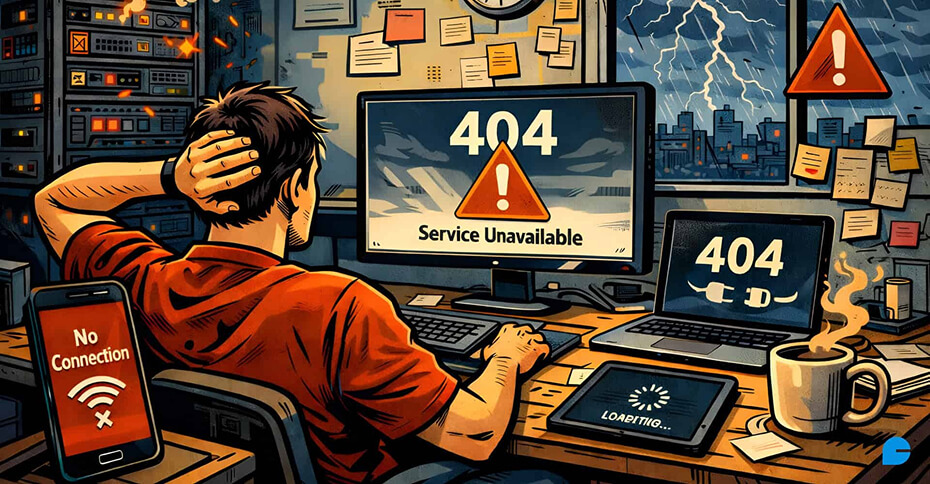
Service outages are among the most uncomfortable moments in a web designer’s professional life. A client’s website suddenly stops loading, transactions fail, dashboards time out, or users start reporting errors, often before you even know something is wrong.
While modern infrastructure has improved reliability, no digital system is immune to failure. Hosting providers experience downtime, third-party APIs break, DNS records misfire, and unexpected traffic spikes can overwhelm even well-built platforms. What separates a trusted professional from a reactive freelancer isn’t the ability to prevent every outage, but how effectively they respond when one happens.
This guide explores how web designers can manage service outages with clarity, professionalism, and long-term strategy.
1. Understanding Why Outages Happen
Before reacting to an outage, it’s important to understand that not all failures originate from the website itself.
Common causes include:
- Hosting infrastructure issues can cause websites or applications to go offline when servers, storage, or network components fail or are improperly configured.
- CDN or caching layer failures may result in slow load times or broken pages when cached assets are unavailable or outdated across global nodes.
- DNS misconfigurations can prevent users from reaching a website altogether by failing to correctly route domain requests to the appropriate servers.
- Third-party service disruptions, such as payment gateways, analytics platforms, or CRM tools, can break critical functionality even when the core website is technically running.
- Server overload from sudden traffic spikes often occurs during product launches, viral campaigns, or promotions, overwhelming system resources and causing crashes or timeouts.
- Scheduled maintenance gone wrong can lead to extended downtime when updates, migrations, or patches fail or are not properly tested beforehand.
- Security incidents such as DDoS attacks can flood servers with malicious traffic, making services unavailable to legitimate users.
Recognizing that many of these elements sit outside a designer’s direct control helps frame outages objectively and professionally. Panic or blame rarely leads to faster resolution-diagnosis does.
2. Detecting an Outage Early
The worst outages are the ones discovered by clients or users first. Proactive monitoring changes that dynamic.
1. Why monitoring matters
Effective monitoring helps teams detect issues early, often before users even notice a problem. Early detection allows you to:
- Investigate before frustration escalates, giving you time to understand the root cause instead of scrambling under pressure.
- Communicate confidently instead of reactively, providing clear updates and realistic timelines rather than vague apologies.
- Reduce perceived downtime, even when the actual outage duration is the same, by keeping users informed and reassured throughout the incident.
2. What to monitor
Designers should track:
- Homepage availability ensures users can always access your primary entry point.
- Key conversion pages like checkout, login, and contact forms must remain functional to prevent lost leads or sales.
- Admin dashboards need to stay accessible so teams can manage content, users, and incidents during issues.
- API response times should be monitored to detect slowdowns before they impact connected applications or services.
Using automated alerts ensures you’re notified the moment something breaks, whether it’s 3 PM or 3 AM.
3. Diagnosing the Real Problem
Once an outage is detected, the next step is determining where the failure is happening.
1. Start broad, then narrow
- Check multiple locations: If a site loads in one region but not another, the issue may be DNS or CDN-related.
- Test outside your environment: Incognito mode, mobile networks, or different browsers help rule out local caching issues.
- Review server responses: Error codes often reveal whether the issue is server-side, application-level, or external.
- Check vendor status updates: Hosting providers and SaaS tools often post real-time updates during incidents.
2. Avoid assumptions
Never assume the issue is “minor” or “temporary” without confirmation. Clients don’t expect instant fixes, but they do expect accuracy.
4. Keeping in Touch with Customers During a Disruption
Clear communication is the single most important skill during downtime.
1. What clients need in the moment
- Confirmation that the issue is real helps users feel heard rather than ignored.
- Assurance that it’s being handled builds trust during moments of uncertainty.
- Honest expectations, not false promises prevent frustration and protect long-term credibility.
2. How to communicate effectively
- Acknowledge the issue promptly to show users you’re aware and taking responsibility.
- Share confirmed facts only to avoid confusion or misinformation.
- Avoid deep technical explanations unless requested, keeping communication clear and accessible.
- Explain next steps clearly so users know what to expect.
- Commit to regular updates to maintain transparency and trust throughout the incident.
Even a brief message like “We’ve identified a hosting-level issue and are coordinating with the provider. I’ll update you within the next 30 minutes” can dramatically reduce anxiety.
Silence, on the other hand, creates frustration and erodes trust.
Also read: What are the benefits of custom website design and development?
5. Managing Public-Facing Impact
When an outage affects users directly, especially for e-commerce sites, SaaS platforms, or high-traffic pages, designers can help clients manage perception.
1. Supporting client messaging
Offer to:
- Draft a temporary status message
- Suggest social media updates
- Create a maintenance notice or fallback page
A short, honest explanation reassures users far more than a blank error screen.
2. Transparency builds credibility
Visitors are surprisingly understanding when informed. What damages trust is confusion, inconsistency, or denial.
6. Should You Change Providers After an Outage?
One outage alone rarely justifies migrating services. Even top-tier platforms experience occasional downtime.
1. When switching makes sense
Consider recommending a change if:
- Outages are frequent and recurring
- Support responses are slow or unclear
- Infrastructure cannot scale with growth
- Issues repeat without explanation or prevention
2. When patience is smarter
If the provider:
- Communicates transparently
- Resolves issues quickly
- Provides clear post-incident explanations
- Has a strong historical uptime record
Then staying put may be the better long-term choice.
Impulsive migrations often introduce new risks.
7. Reducing the Impact of Future Outages
While no system can guarantee 100% uptime, designers can reduce risk through smart architecture.
1. Key preventative strategies
- Redundancy helps avoid single points of failure by ensuring backups are always available.
- Content delivery networks continue serving assets even when origin servers fail.
- Load balancing distributes traffic evenly to prevent crashes during sudden spikes.
- Automated backups enable fast recovery if systems need to be restored.
- Security protections reduce downtime caused by attacks or malicious traffic.
Design decisions made early often determine how resilient a website is years later.
8. Educating Clients for the Long Term
Many clients assume websites are “set and forget.” Designers play a critical role in reshaping that expectation.
1. Set realistic boundaries
Explain:
- What you control vs. what providers control
- Why maintenance is ongoing
- How monitoring and backups protect their business
2. Offer maintenance plans
Ongoing service agreements:
- Create predictable support structures that keep operations stable and well-managed.
- Reduce emergency stress by replacing panic-driven fixes with prepared responses.
- Position you as a long-term partner, not just a one-time builder, through reliability and trust.
Clear expectations prevent conflict when problems arise.
9. Turning Downtime Into Trust
Outages are stressful, but they’re also moments of truth.
Clients don’t judge professionals by the absence of problems. They judge them by how those problems are handled:
- A calm response helps prevent panic and keeps teams focused.
- Clear communication ensures everyone understands what’s happening and why.
- Informed decision-making leads to faster, more effective resolutions.
- Accountability without defensiveness builds trust and encourages transparency.
When handled well, an outage can actually strengthen client relationships. It shows competence under pressure and reinforces trust when things don’t go perfectly, which, in technology, they never do.
Conclusion
Service outages are an unavoidable reality in modern web ecosystems. No matter how well a website is designed or how reliable the infrastructure appears, failures will eventually occur, often without warning. What truly defines a professional web designer is not the ability to eliminate every risk, but the ability to respond with confidence, clarity, and structure when things go wrong.
By understanding the root causes of outages, detecting issues early through monitoring, communicating transparently with clients, and designing systems with resilience in mind, designers can turn disruptive moments into opportunities to build trust. Outages handled poorly create frustration and doubt; outages handled well demonstrate leadership, reliability, and expertise.
In the long run, clients remember how problems were managed far more than the problems themselves. When designers approach downtime with preparation rather than panic, they position themselves not just as service providers, but as strategic partners invested in long-term success.
Website downtime doesn’t have to damage your business when it’s managed the right way. At InCreativeWeb, we provide proactive website maintenance and optimization services designed to minimize outages, monitor performance, and resolve issues before they impact users. Our team focuses on reliability, security, and long-term stability, so your website stays online and performing when it matters most.
Explore our Website Maintenance & Optimization services to protect your digital presence.
FAQs
1. Are service outages the responsibility of the web designer?
Not always. Many outages originate from hosting providers, DNS services, CDNs, or third-party tools that designers do not directly control. However, designers are responsible for how they monitor, communicate, and guide clients during these situations. Managing the response is just as important as building the website.
2. How quickly should I inform a client about an outage?
As soon as the issue is confirmed. Even if you don’t yet know the cause or resolution time, acknowledging the problem early reassures clients that it’s being handled. Silence often creates more frustration than the outage itself.
3. Should I promise a fix timeline during downtime?
Only if the timeline is confirmed. Avoid making assumptions or guarantees based on guesswork. It’s better to say, “We’re investigating and will provide updates every 30 minutes,” than to promise a resolution that may not happen on time.
4. How can I prevent clients from blaming me for outages I didn’t cause?
Clear education and expectations are key. Explain early on what falls under your responsibility versus what depends on third-party providers. Maintenance plans, monitoring reports, and transparent communication help clients understand the bigger picture and reduce misplaced blame.
5. Is switching hosting providers the best solution after downtime?
Not always. Even reliable providers experience occasional outages. A switch should only be considered if downtime is frequent, support is unresponsive, or infrastructure limitations are holding the project back. Reactive migrations can introduce new risks and instability.
Author
Jayesh Patel
Jayesh Patel is a Professional Web Developer & Designer and the Founder of InCreativeWeb.
As a highly Creative Web/Graphic/UI Designer - Front End / PHP / WordPress / Shopify Developer, with 14+ years of experience, he also provide complete solution from SEO to Digital Marketing. The passion he has for his work, his dedication, and ability to make quick, decisive decisions set him apart from the rest.
His first priority is to create a website with Complete SEO + Speed Up + WordPress Security Code of standards.