A smooth WordPress workflow is essential for clients who depend on their website for marketing, communication, and business operations. However, many clients struggle with slow dashboards, confusing editors, and time-consuming processes, issues that often stem from gaps in their WordPress development setup. These workflow challenges not only affect their productivity but also impact your collaboration with them. Understanding these pain points and resolving them strategically builds trust, enhances efficiency, and creates a better overall website experience.
Understanding Your Client’s WordPress Workflow
By understanding your client’s WordPress workflow, you can identify bottlenecks, simplify tasks, and develop a more efficient management process tailored to their skills and needs.
1. Conducting a Workflow Audit
Before making improvements, it’s important to examine how your client currently performs tasks within WordPress. A workflow audit helps identify the steps they follow to create content, upload images, manage pages, or update plugins. By observing their actions and asking questions about their biggest difficulties, you can discover where delays occur and which processes need restructuring.
2. Mapping the Entire Process
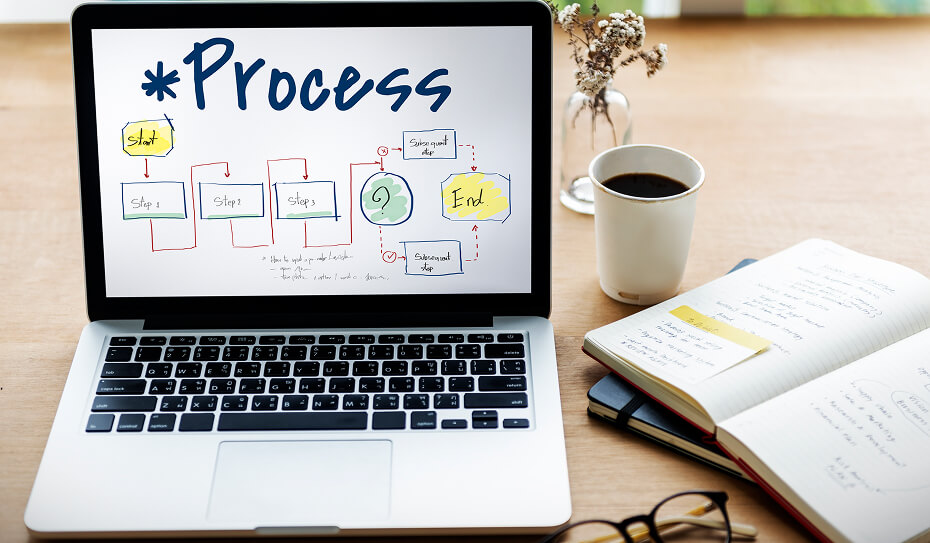
Once you gather insights, the next step is mapping the workflow from content planning to publishing and future updates. Many clients jump between tasks without a defined order, which leads to confusion and inefficiency. By outlining each stage clearly, you can pinpoint where gaps exist and propose more organized, streamlined methods.
Common Pain Points in WordPress Workflows
Common pain points in WordPress workflows include confusing editors, slow performance, plugin overload, security issues, and disorganized processes that make content management difficult for clients.
1. Content Management Issues
Clients often face difficulties when working with the WordPress editor. Layout adjustments, block placement, and media organization can become overwhelming. A cluttered media library or complex page structure slows down their ability to create consistent, clean content. These challenges discourage them from updating the website regularly.
2. Plugin and Theme Overload
Many clients install excessive plugins or rely on outdated themes without understanding their impact. This leads to slow loading times, broken layouts, and compatibility errors. With too many tools performing similar functions, the dashboard becomes cluttered and confusing, increasing the chances of mistakes.
3. Performance Bottlenecks
A slow website not only affects visitors but also disrupts the client’s workflow inside the dashboard. Large images, heavy page builders, poor hosting, and lack of caching contribute to slow load times. When editing takes too long, it becomes frustrating and reduces the productivity of content creators and site managers.
4. Collaboration and Approval Delays
When multiple team members are involved, content approval becomes a major source of delay. Without a structured process, drafts get mixed up, feedback becomes scattered, and tasks remain incomplete. Misalignment between clients, writers, and designers often results in repeated revisions and wasted time.
5. Security and Maintenance Gaps
Many clients overlook routine maintenance tasks such as updating plugins, backing up data, or scanning for malware. This creates vulnerabilities that can lead to unexpected downtime or data loss. Without a proper system in place, even simple maintenance becomes overwhelming.
Read more: Advanced WordPress Security Techniques to Keep Your Site Secure
Solutions to Streamline the WordPress Workflow
Solutions to streamline the WordPress workflow focus on simplifying editing, reducing plugin load, improving performance, enhancing collaboration, and strengthening security to create a faster, more organized system.
1. Simplifying the Editing Experience
One of the best ways to improve client workflow is by making the editor easier to use. Choosing block-friendly themes, creating reusable templates, and customizing the dashboard helps reduce confusion. Clear instructions and predesigned layout blocks guide clients and prevent formatting errors.
2. Optimizing the WordPress Setup
A minimal, well-organized WordPress installation significantly improves usability. Removing unnecessary plugins, replacing heavy tools with efficient alternatives, and enabling safe automatic updates make the environment stable. This reduces the need for frequent troubleshooting and speeds up everyday tasks.
3. Improving Website Performance
Enhancing speed transforms the overall workflow, making both the front-end and dashboard faster. Compressing images, implementing caching, optimizing hosting, and reducing heavy scripts ensure a smoother editing experience. Clients can work faster without experiencing delays while loading pages or switching between tasks.
4. Strengthening Collaboration and Approval Systems
A structured approval process removes confusion and accelerates publishing. Using content calendars, assigning proper roles, and implementing editorial tools ensure everyone knows their responsibilities. Comments and revision workflows help team members stay aligned and reduce back-and-forth communication.
5. Enhancing Security and Maintenance Processes
Automated backups, security monitoring, and regular system checks protect clients from unexpected crashes or attacks. A predictable maintenance system allows clients to feel secure, knowing their site remains healthy without constant manual effort. This reduces risks and keeps the workflow stable.
Tools and Techniques That Improve Workflow Efficiency
Choosing the right tools helps clients manage content, maintain security, and optimize performance effortlessly. Editorial management tools support planning, while backup and security tools reduce risks. Lightweight optimization plugins, media organizers, and dashboard cleanup utilities enhance the overall user experience, making WordPress easier to navigate and maintain.
Training Clients for Long-Term Success
Even the most efficient workflow requires proper training. Offering video tutorials, step-by-step instructions, and personalized guides helps clients understand how to perform routine tasks without hesitation. When clients feel confident using their website, they work independently, make fewer mistakes, and require less support.
Measuring Improvements in the Workflow
Tracking improvements after implementing changes allows you to evaluate the effectiveness of the workflow. Reduced publishing time, fewer errors, improved site speed, and positive client feedback indicate successful optimization. These metrics also help refine your approach for future projects.
Conclusion
Optimizing your client’s WordPress workflow creates a more enjoyable experience for both sides. By simplifying their tools, improving performance, organizing processes, and offering clear guidance, you empower clients to manage their websites confidently. This leads to stronger communication, fewer issues, and long-term success in managing and growing their online presence.
How InCreativeWeb Helps You Build Workflow-Optimized WordPress Websites
InCreativeWeb designs WordPress websites with an uncompromising focus on workflow efficiency, intuitive usability, and long-term sustainability. We streamline dashboards, simplify editing experiences, and build systems that eliminate bottlenecks, empowering clients to manage content confidently without technical hurdles. Our development approach ensures a clean, organized, and future-ready WordPress environment engineered for fast performance and effortless daily operations.
Get in touch with us now to build a WordPress website that works as smoothly as your business.
Schedule a consultation today and let our experts optimize your workflow, speed, and long-term success.
FAQs
1. What is a WordPress workflow and why does it matter for clients?
A WordPress workflow refers to the steps clients follow to create, manage, and update their website content. A smooth workflow matters because it saves time, reduces mistakes, and helps clients maintain their website with confidence and efficiency.
2. What are the most common workflow issues clients face in WordPress?
Clients often struggle with confusing editors, slow loading dashboards, plugin overload, disorganized media libraries, unclear content approvals, and missing security or maintenance routines. These issues disrupt productivity and website performance.
3. How can a workflow audit help improve a WordPress website?
A workflow audit helps identify where clients get stuck, which tools slow them down, and what processes need restructuring. It reveals bottlenecks and provides a clear direction for improving the overall website management system.
4. How does simplifying the editor improve client workflow?
Simplifying the editor reduces confusion and improves consistency. Using reusable templates, clean block structures, and a customized dashboard allows clients to update pages easily without breaking layouts or creating formatting errors.
5. What impact do too many plugins have on the workflow?
Too many plugins slow down the dashboard, increase compatibility issues, and make maintenance complicated. Reducing unnecessary plugins creates a faster, more stable environment that clients can manage easily.
6. Why is performance optimization important for workflow efficiency?
A fast website means a fast dashboard. Optimizing images, enabling caching, and choosing quality hosting significantly reduce editing delays, allowing clients to complete tasks more efficiently.
7. How does improving collaboration help clients?
Clear roles, content calendars, and structured approval processes eliminate confusion and reduce back-and-forth communication. This speeds up publishing and ensures the entire team stays aligned during content creation.
Author
Jayesh Patel
Jayesh Patel is a Professional Web Developer & Designer and the Founder of InCreativeWeb.
As a highly Creative Web/Graphic/UI Designer - Front End / PHP / WordPress / Shopify Developer, with 14+ years of experience, he also provide complete solution from SEO to Digital Marketing. The passion he has for his work, his dedication, and ability to make quick, decisive decisions set him apart from the rest.
His first priority is to create a website with Complete SEO + Speed Up + WordPress Security Code of standards.