The Hidden Cost of Over-Reliance on Templates
In modern UX Design, design systems and pre-built templates have become the cornerstone of efficiency. They provide consistency, accelerate workflows, and enable teams to scale. However, when speed overtakes strategy, teams risk creating products that look polished but lack genuine user connection. The real challenge is not the existence of UX design systems but how we use them, whether as enablers of creativity or as substitutes for critical UX design thinking.
Why are designers unable to move forward?
Starting with a blank screen meant that you would have to talk to users, figure out what they didn’t know, and draw out workflows as a UX designer. These days, copying a template, dragging elements from a system, and adjusting spacing are frequently the first steps.
While this change saves time, it also makes you think more narrowly. A “collection of reusable components guided by clear standards” is what Wikipedia defines as a design system. This is very useful for scaling, but it can also be easily abused.
Originally designed to cut down on grunt work, these tools today frequently take the place of essential UX design services. Aligning UI with the system takes up more time for UX designers than aligning solutions with the issue.
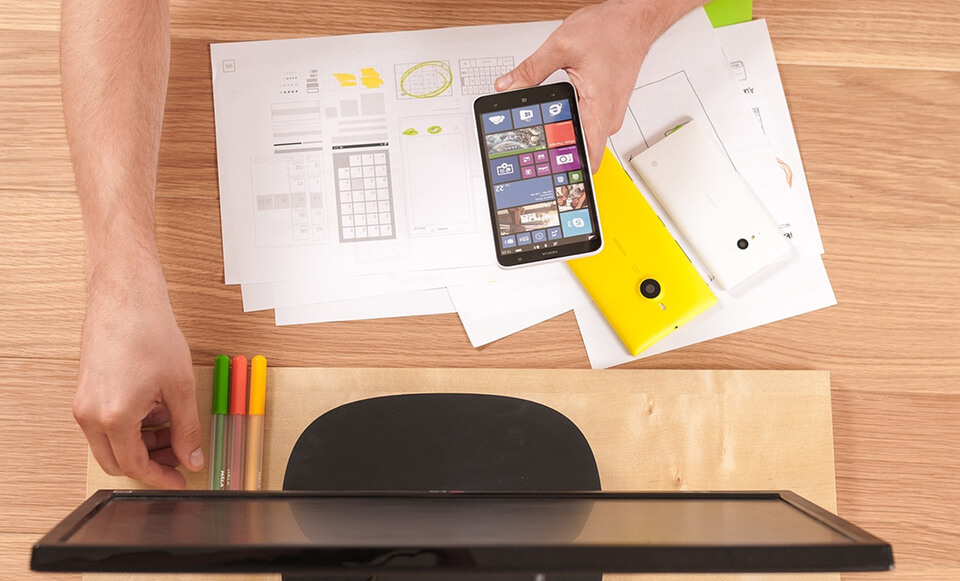
Templates Solve Problems Quickly, not for Humans
Because they speed us up, we adore templates. And that’s quite helpful in high-stress situations. However, something important is lost when speed is the only consideration: relevancy.
Despite having a sleek and contemporary appearance, your product may fall far short of meeting consumer needs. Smart, adaptive UI design, on the other hand, makes use of AI to better match current user preferences and behavior. Although they make it simpler to get started, templates don’t help you comprehend the purpose of your design.
The Appearance of Originality within a Model
The majority of contemporary SaaS apps have a similar appearance, particularly dashboards. Not because they came to the same design decisions, but rather because they are using the same layout patterns, heuristics, and UI kits.
Designers are not necessarily savvy when they use the conventional “sidebar + top nav + card layout.” It indicates that you are working in a mold that is safe.
But breaking patterns when they aren’t aligned is an indication of design maturity. Although a content producer scheduling social media postings doesn’t require the same interface as a user controlling vital data procedures, they are frequently provided with the same user interface.
Pre-made responses are provided by templates. The hard part is figuring out when the question has changed, and that’s where excellent UX designers come in handy.
Read more: UI/UX Design in 2025: Trends Shaping Tomorrow’s Interfaces
When being the same becomes a liability for UX
It might backfire when consumers come to assume that all products look and feel the same.
Because they expect your app to function differently, users frequently misclick or hesitate during usability sessions-not because of poor design. Where there are no filters, they seek them out. They criticize your product when auto-save is absent because they anticipate it because it’s standard elsewhere.
There was no user mistake. The reason for this mismatch in expectations is not user-driven design, but rather generic user interface.
Comforting sameness is only possible when combined with clarity. Without it, there is misunderstanding and, worse, a decline in trust.
Inclusion and accessibility are not pre-installed
Many teams believe that accessibility is handled via templates. Indeed, a lot of systems come with keyboard focus, semantic structure, and ARIA roles.
However, that is not the same as being included.
Users’ interactions across devices, environments, and constraints are taken into consideration by true accessibility. Even if a component satisfies WCAG 2.1 AA requirements, it may nevertheless irritate users who depend on screen readers or magnifying tools.
Cultural context, differences in motor skills, and edge devices in low-bandwidth locations cannot be taken into consideration by templates. Only research and UX Design Services can. Additionally, your product may appear compliant but nonetheless exclude actual people if you neglect that.
Although the design system isn’t bad, your attitude could be
Systems of design are strong. When applied properly, they lower conflict, aid in team scaling, and maintain clear visual logic.
However, teams mistaking the system for the answer is when the issue begins. when the focus of a screen assessment shifts from the user journey to padding and alignment. Furthermore, rather than questioning presumptions, critique devolves into verifying tokens.
Systems ought to support your thinking rather than replace it. The most effective systems are adaptable and permit variation when the needs of the user warrant it. This is particularly important in dynamic digital environments like the metaverse, where users anticipate immersive, interactive experiences that are not provided by fixed user interface patterns.

How to start without destroying everything
You simply need to lead with purpose rather than patterns; you don’t have to abandon your UX design system. Prioritize users over layouts. Make time for a brief test or discussion, even if you are pressed for time. You’ll be shocked at what comes to light.
Your work should be supported by the system, not dictated by it. When following the rules compromises usability, break them. When defaults conceal actual issues, challenge them. Not reinventing the wheel, that is. Well-executed UX design services are that.
To be creative, you must remove friction templates
In addition to being effective, templates are gracefully designed. They eliminate the uncertainty, sluggish thought, and strain, which is frequently where the best ideas reside. Interestingly, UX design techniques like generative AI are starting to bring back that friction and unpredictability, which is assisting designers in finding their creative voice again.
When everything becomes too simple, you cease to ask questions. You make assumptions. That is risky. It takes room to feel trapped for a skilled UX designer. That is a clue that you are truly solving a novel problem.
Conculsion
UX Design systems and templates are powerful allies in modern product development, but they’re not a substitute for curiosity, empathy, and critical thinking. When used with intention, they free up time for deeper problem-solving and creativity. When followed blindly, they risk producing generic, inaccessible, and uninspired experiences. The key is balance: let your UX design system support your decisions, but never let it dictate them.
Ready to elevate your UX strategy beyond templates?
Our team at InCreativeWeb specializes in user-centered design services that blend efficiency with originality. Let’s build experiences that matter, crafted for users, not just for speed and design what truly matters. Contact us today to start your project now.
FAQs
1. What’s the biggest risk of relying too much on templates?
It can lead to generic, one-size-fits-all solutions that ignore unique user needs and diminish product differentiation.
2. Are design systems bad for creativity?
No – design systems save time and provide consistency. The problem arises when teams follow them blindly instead of adapting them to fit evolving user contexts.
3. How can UX designers break out of “template thinking”?
Start by conducting user research, questioning assumptions, and exploring alternative workflows before applying pre-built components.
4. Can templates still support accessibility?
Templates can include accessibility features, but they can’t address all user contexts, cultural factors, or device constraints. Additional research and testing are essential.
5. Why do so many products look alike today?
Because many teams use the same UX design systems, UI kits, and layout patterns without customization, leading to a visual sameness across products.
6. When should you break design system rules?
When strict adherence compromises usability, clarity, or user satisfaction – especially in cases where your audience’s needs differ from standard patterns.
7. How can AI help UX designers move beyond template limitations?
Generative AI can introduce new variations, ideas, and unpredictability, helping designers rediscover creativity and challenge default assumptions.
Author
Jayesh Patel
Jayesh Patel is a Professional Web Developer & Designer and the Founder of InCreativeWeb.
As a highly Creative Web/Graphic/UI Designer - Front End / PHP / WordPress / Shopify Developer, with 14+ years of experience, he also provide complete solution from SEO to Digital Marketing. The passion he has for his work, his dedication, and ability to make quick, decisive decisions set him apart from the rest.
His first priority is to create a website with Complete SEO + Speed Up + WordPress Security Code of standards.