Google regularly updates its search policies to improve user experience and reduce manipulative behavior across the web. In 2026, one of the most talked-about changes is Google’s focus on back button hijacking – a deceptive tactic where websites interfere with normal browser navigation when users attempt to leave a page.
For many users, clicking the browser’s back button is second nature. It is one of the most basic forms of navigation on the internet. When a website blocks, redirects, delays, or manipulates that action, it creates frustration and damages trust immediately. Google has now made it clear that this type of behavior is unacceptable and may result in ranking penalties or other enforcement actions.
For businesses, marketers, developers, website owners and providers of digital marketing services, this update matters. A website may unintentionally trigger these issues through outdated plugins, ad scripts, pop-up tools, or poor coding practices. That means even legitimate businesses could be affected if they do not monitor site behavior.
In this guide, we’ll explore what back button hijacking is, why Google is taking action, how it affects SEO, common causes, how to detect it and the best ways to protect your site in 2026 and beyond.
What Is Back Button Hijacking?
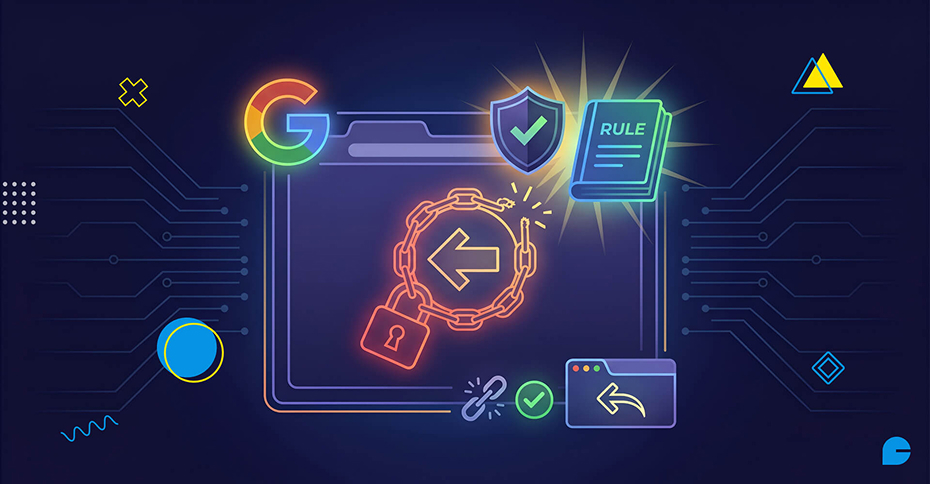
Back button hijacking happens when a website interferes with the browser’s normal back navigation. Instead of taking users back to the previous page they visited, the site changes the expected behavior.
This can happen in several ways:
- Redirecting users to a different page
- Reopening the same page repeatedly
- Triggering a full-screen popup when back is clicked
- Sending visitors to ad pages
- Injecting fake browser history entries
- Preventing users from leaving without multiple clicks
In many cases, the user feels trapped. They clicked the back button expecting to return to search results or a previous website, but instead they are forced to stay engaged with content they no longer want.
This behavior is especially common on low-quality lead generation sites, ad-heavy blogs, fake download pages and scam websites. However, it can also happen accidentally on real business sites through poorly configured scripts.
Why the Browser Back Button Matters So Much
The back button is one of the most important tools in modern browsing behavior. It gives users control.
People use it to:
- Return to Google search results
- Compare multiple websites quickly
- Exit pages that load slowly
- Leave content that is irrelevant
- Navigate shopping journeys
- Correct mistakes during browsing
When websites hijack this experience, users feel deceived. That loss of trust often happens instantly.
Google’s mission has always been to organize information and provide users with useful results. If searchers repeatedly land on websites that trap them, it harms confidence in Google Search itself.
That is why navigation integrity matters more than many site owners realize.
Why Google Is Taking Action in 2026
Google has spent the last several years focusing heavily on helpful content, spam prevention and user experience signals. Search quality updates now go beyond keywords and backlinks.
Today, Google also evaluates:
- Page experience
- Core Web Vitals
- Intrusive interstitials
- Misleading redirects
- Spam content
- Malware behavior
- Navigation trustworthiness
Back button hijacking fits directly into this larger quality movement.
As websites become more aggressive with monetization, popups and engagement hacks, Google is responding by rewarding sites that respect users and demoting those that manipulate them.
This update sends a strong message:
If users want to leave, let them leave.
How Back Button Hijacking Usually Happens
Some site owners intentionally use these tactics. Others do not realize it is happening.
1. JavaScript History Manipulation
Developers can use JavaScript methods like:
history.pushState()
history.replaceState()
These tools are legitimate when used correctly, such as in single-page applications. However, they can be abused to create fake history entries, making users click back multiple times.
2. Pop-up Plugins
Some pop-up tools trigger “exit intent” overlays when users try to leave. If poorly configured, these can hijack navigation or block expected behavior.
3. Ad Network Scripts
Low-quality ad networks sometimes inject redirects or browser traps to maximize impressions.
4. Malware or Injected Code
Compromised websites may unknowingly run malicious scripts that redirect users.
5. Fake Landing Page Funnels
Certain affiliate or lead generation funnels intentionally trap users to boost conversions.
Examples of Back Button Hijacking
To understand the problem clearly, here are real-world scenarios:
Example 1: Search Result Trap
A user visits your page from Google, realizes the content is not relevant and clicks the back button to return to search results. Instead of going back, they are forced onto another page within the same website, creating frustration and confusion.
Example 2: Popup Interruption
When a visitor tries to leave the website, clicking the back button triggers a fullscreen popup instead. The message may promote discounts, free gifts, or urgent offers, interrupting the user’s intended action.
Example 3: Endless History Loop
Some websites add multiple fake history states every time a user scrolls or clicks. As a result, the visitor must press the back button several times before they can actually leave the site.
Example 4: Redirect to Ad Page
A user attempts to exit the page, but the back button sends them to an unrelated advertising page instead. This often leads to casino promotions, software downloads, or affiliate landing pages, damaging trust and user experience.
How This Can Hurt SEO
Many website owners underestimate how damaging back button hijacking can be. While it may seem like a tactic to keep visitors longer, it often creates negative SEO and branding consequences.
1. Manual Actions
Google may issue manual spam penalties if deceptive navigation or manipulative behavior is detected. This can reduce your visibility in search results and harm long-term traffic.
2. Lower Rankings
Even without a direct penalty, negative user experience signals can impact rankings over time. Search engines favor websites that provide smooth, trustworthy browsing experiences.
3. Lost Trust Signals
Google increasingly values websites that users trust and engage with naturally. If visitors feel trapped or misled, it can weaken important trust signals.
4. Lower Return Visits
Users rarely return to websites that create frustration or block normal navigation. A poor first impression often leads to lost repeat traffic.
5. Brand Damage
When visitors encounter deceptive behavior, they may associate your business with spam or scams. This can harm your brand reputation and customer confidence.
6. Lower Conversion Quality
Forced engagement does not create real interest or loyal customers. Instead, it often creates frustration and resentment toward the brand.
Why Businesses Should Be Concerned
Even ethical businesses can accidentally trigger this problem.
Common risk areas include:
- Old WordPress popup plugins
- Cheap ad monetization tools
- Purchased themes with bundled scripts
- Unvetted affiliate widgets
- Legacy JavaScript code
- Poor mobile UX hacks
If your developer added scripts years ago, they may still be affecting navigation today.
How to Check If Your Site Has This Problem
1. Manual Testing (Best First Step)
Open your website in Chrome, Safari, Firefox and mobile browsers.
Then:
- Visit homepage
- Navigate to blog post or product page
- Click back button
- Observe behavior
Ask:
- Does it return normally?
- Does it reload unexpectedly?
- Does a popup appear?
- Does it redirect elsewhere?
2. Use Incognito Mode
This helps isolate plugin or cookie issues.
3. Test Mobile Devices
Some hijacking behavior appears only on mobile traffic.
4. Review Search Console
Check for:
- Manual actions
- Security issues
- Spam warnings
- Developer Audit
Ask your developer to inspect:
- History API usage
- Redirect scripts
- Ad tags
- Third-party JavaScript
How to Fix Back Button Hijacking
1. Remove Suspicious Scripts
Delete any unnecessary popups, forced redirects, or third-party ad injection scripts from your website. These scripts are often the main cause of back button hijacking and poor user experience.
2. Review Plugins
Check all installed plugins and deactivate them one by one to identify the source of the issue. Poorly coded or outdated plugins can interfere with browser navigation behavior.
3. Audit Theme Files
Some premium or older themes may include bundled scripts that create redirects or unwanted popups. Review theme files carefully and remove outdated or suspicious code.
4. Use JavaScript Responsibly
Single-page applications can use pushState() or similar functions for navigation, but they should never trap users from leaving a page. Navigation should always remain natural and user-friendly.
5. Improve UX Instead of Blocking Exit
If visitors are leaving your website, focus on solving the real reason rather than forcing them to stay. Better solutions include improving content relevance, speeding up page load times, making calls-to-action clearer, strengthening trust design and reducing aggressive ads.
6. Retest Across Devices
After making changes, test your website on both desktop and mobile devices. This ensures the issue is fully resolved and users experience smooth navigation everywhere.
Best Practices to Stay Safe in 2026
1. Prioritize Honest UX
Design your website to help users complete their goals easily instead of trying to manipulate behavior. A transparent and user-friendly experience builds trust and long-term engagement.
2. Keep Plugins Updated
Regularly update plugins to maintain security, compatibility and performance. Outdated plugins often create conflicts, vulnerabilities and unexpected navigation issues.
3. Limit Third-Party Scripts
Only use essential third-party scripts on your website. Every additional script can slow performance, introduce errors, or create security risks.
4. Use Trusted Ad Networks
Work only with reputable advertising and monetization partners. Low-quality ad networks may inject redirects, spam popups, or harmful scripts that damage user trust.
5. Perform Monthly Technical Audits
Review your website each month for navigation problems, speed issues, popups, broken links and unwanted redirects. Regular audits help catch problems before they affect users or SEO.
6. Focus on Helpful Content
Create content that genuinely satisfies user intent and answers search queries clearly. When visitors find value naturally, they stay longer and engage without forced tactics.
What This Means for WordPress Websites
WordPress site owners are especially vulnerable because many issues come from plugins.
Common risky plugin categories:
- Exit intent popups
- Lead capture overlays
- Ad injection plugins
- Fake urgency tools
- Redirect plugins
If you run WordPress, audit your stack carefully.
What This Means for eCommerce Stores
Stores may use back-button tactics to recover abandoned carts. But manipulative methods can backfire.
Instead of trapping users:
Use:
- Cart reminder emails
- Remarketing ads
- Clear return policies
- Faster checkout
- Better product pages
Google’s Bigger Message to Website Owners
This policy is not only about the back button.
It represents a broader trend:
Google rewards websites that are:
- Trustworthy
- Fast
- Helpful
- Transparent
- Easy to navigate
And Google punishes websites that are:
- Deceptive
- Manipulative
- Ad-heavy
- Frustrating
- Low-value
The future of SEO is not gaming algorithms. It is serving users better than competitors.
Action Plan for Website Owners
Immediate Steps
- Test your back button behavior today
- Remove suspicious popups
- Review plugins and scripts
- Improve page relevance
Next 30 Days
- Run technical SEO audit
- Improve Core Web Vitals
- Reduce intrusive ads
- Update themes/plugins
Long-Term
- Build trust-first UX
- Publish helpful content
- Focus on genuine conversions
Final Thoughts
Google’s new back button hijacking policy is another sign that search quality is evolving fast. Manipulative tactics may create short-term gains, but they create long-term risk. The smartest strategy in 2026 is simple:
- Respect users
- Make navigation easy
- Provide real value
- Earn attention naturally
If your website allows users to browse confidently, leave freely and return willingly, you are already aligned with where Google is heading. That is the kind of website that wins rankings, trust and conversions.
Need help fixing website issues before they impact your rankings?
From modern web design and custom development to ongoing maintenance and SEO-friendly updates, we ensure your website performs flawlessly and stays future-ready. With Google’s new back button hijacking policy targeting poor navigation practices, outdated scripts can hurt your search visibility, so compliance is critical. At InCreativeWeb we build high-performance, user-friendly and Google-compliant websites that protect your rankings and enhance user experience. Explore our services today and secure your website’s growth in 2026.
FAQs
1. What is back button hijacking?
Back button hijacking happens when a website interferes with normal browser back-button behavior using redirects, fake history states, or intrusive popups. This prevents users from leaving the page smoothly and creates a frustrating experience.
2. Can WordPress plugins cause this?
Yes, certain popup, redirect, advertising, or poorly coded plugins can cause back button hijacking issues. Outdated or conflicting plugins are often a common source of the problem.
3. Will Google penalize websites for this?
Google may lower rankings or apply spam-related manual actions if deceptive behavior is detected. Websites that create poor user experiences can also lose trust signals over time.
4. How do I test for it?
Visit your website on both desktop and mobile devices, then use the browser back button normally. If unexpected popups, redirects, or multiple clicks are required to leave, the issue may exist.
5. Is this important for SEO?
Yes, user trust, page experience and smooth navigation increasingly influence search performance. Websites that frustrate visitors may see weaker engagement and lower rankings.
Author
Jayesh Patel
Jayesh Patel is a Professional Web Developer & Designer and the Founder of InCreativeWeb.
As a highly Creative Web/Graphic/UI Designer - Front End / PHP / WordPress / Shopify Developer, with 14+ years of experience, he also provide complete solution from SEO to Digital Marketing. The passion he has for his work, his dedication, and ability to make quick, decisive decisions set him apart from the rest.
His first priority is to create a website with Complete SEO + Speed Up + WordPress Security Code of standards.