Your customer just asked a question at 2 AM. Did your website answer it?
If not, you’re already losing business to competitors who never sleep, because their AI chatbots don’t.
Modern AI-powered chatbots have moved far beyond scripted pop-up messages. They understand user intent, personalise responses in real time, and guide visitors from curiosity to conversion without human intervention. Whether it’s answering product questions, capturing leads, or resolving support tickets, today’s chatbots work around the clock so your team doesn’t have to.
But here’s what most businesses get wrong: dropping a chat widget on a webpage isn’t a strategy. Successful chatbot integration requires planning, proper training, and ongoing optimisation.
In this guide, we’ll walk you through everything, from choosing the right platform to measuring real results.
What Is an AI Chatbot?
An AI chatbot is a software application powered by artificial intelligence that interacts with website visitors through natural conversations. Unlike traditional chat systems that rely on predefined responses, AI chatbots use advanced technologies to understand user questions and provide relevant answers.
Understanding AI-Powered Chatbots
AI chatbots are designed to simulate human-like conversations while assisting users with information, support, and guidance. They can engage customers in real-time and continuously improve their responses through machine learning.
Unlike traditional rule-based systems, modern AI chatbots can understand variations in language, recognize intent, and adapt to different user needs.
How AI Chatbots Work
AI chatbots typically rely on:
- Natural Language Processing (NLP)
- Machine Learning Algorithms
- Knowledge Bases
- Conversational Context Analysis
- Data Integration Systems
These technologies enable chatbots to understand user requests and deliver meaningful responses rather than simply matching keywords.
Why Businesses Are Adding AI Chatbots to Their Websites
Organizations across industries are increasingly adopting AI chatbots to improve customer experiences and streamline operations.
1. Improved Customer Support Availability
Whether it’s a weekend inquiry or a late-night purchase decision, a chatbot keeps your business responsive around the clock. This constant availability not only reduces the frustration of unanswered queries but also builds trust with customers who feel supported at every step of their journey. For global businesses serving multiple time zones, this kind of always-on presence is no longer a luxury – it’s a necessity.
2. Enhanced User Experience
A well-designed chatbot acts like a knowledgeable guide, leading users directly to what they’re looking for – whether that’s a product detail, a pricing page, or a support article. This frictionless experience reduces bounce rates and keeps visitors engaged longer, increasing the likelihood of conversion. When users get instant, relevant answers, they’re more likely to trust your brand and return in the future.
3. Increased Operational Efficiency
A significant portion of support interactions – password resets, order status checks, FAQs – don’t require human judgment at all. By automating these high-volume, low-complexity tasks, businesses can dramatically reduce the workload on their support and sales teams. The result is a leaner operation where human agents spend their time on work that actually requires empathy, expertise, and creative problem-solving.
4. Higher Lead Generation Opportunities
Unlike passive contact forms that sit and wait, chatbots proactively initiate conversations at the right moment, when a visitor is browsing a product page, reading a pricing breakdown, or about to exit the site. They can ask targeted qualifying questions to determine intent and budget, then route high-value prospects directly to your sales team while nurturing less-ready leads automatically. This turns your website from a digital brochure into an active, always-working sales asset.
Check this out: Generative AI for Business: How AI Drives Growth, Automation and Cost Reduction
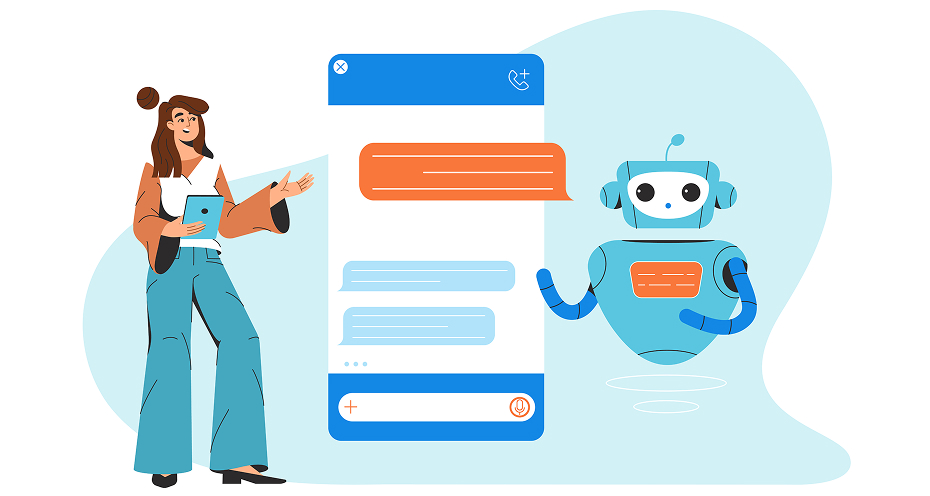
Key Benefits of Website AI Chatbot Integration
Integrating AI chatbots into a website can deliver substantial business advantages.
1. Better Customer Engagement
Interactive conversations keep users engaged and help guide them toward desired actions. Unlike static pages or passive content, a chatbot creates a two-way dialogue that holds a visitor’s attention and makes them feel heard. By responding contextually to what each user says, it can proactively suggest relevant products, articles, or next steps, turning passive browsers into active participants.
2. Reduced Customer Support Costs
Automation decreases the volume of support tickets and reduces operational expenses. When a chatbot handles repetitive, high-volume queries, such as order status, FAQs, or account details, your human agents are freed up for work that actually requires judgment and empathy. Over time, this shift can significantly lower your cost-per-interaction without sacrificing the quality of support your customers receive.
3. Faster Issue Resolution
Customers receive immediate responses rather than waiting for human assistance. In a world where people expect instant gratification, even a few minutes of hold time can push a frustrated user toward a competitor. AI chatbots eliminate that friction entirely by delivering accurate answers in real time, 24 hours a day, 7 days a week, regardless of time zone or business hours.
4. Improved Lead Qualification
Chatbots can ask qualifying questions and direct high-intent prospects to sales teams. Rather than letting every visitor fall into the same generic funnel, a well-trained chatbot can assess budget, intent, timeline, and fit through a natural conversation before a salesperson ever gets involved. This means your sales team spends their time on warmer, better-qualified leads, improving both efficiency and close rates.
5. Data Collection and Customer Insights
Every interaction provides valuable information about customer preferences and behavior. Over time, these conversations reveal patterns, the questions asked most often, the points where users drop off, the features they’re most curious about, that would be nearly impossible to capture at scale through any other channel. This data can directly inform your product roadmap, content strategy, and customer service improvements.
6. Scalable Customer Service Operations
Unlike human teams, AI chatbots can simultaneously assist thousands of users without compromising performance. Whether you’re running a flash sale, launching a new product, or experiencing an unexpected traffic spike, your chatbot handles the surge seamlessly without any need for emergency hiring or overtime. This makes it an especially valuable asset for growing businesses that want to scale their customer experience without scaling their headcount proportionally.
Common Use Cases for AI Chatbots
AI chatbots can support various business functions.
1. Customer Support Automation
Chatbots can answer frequently asked questions, provide troubleshooting assistance, and guide users toward solutions.
Common Tasks
- Account inquiries
- Service information
- Technical support
- Policy explanations
2. Sales Assistance
AI chatbots help visitors discover products and services based on their needs.
Sales Functions
- Product recommendations
- Service comparisons
- Pricing information
- Consultation requests
3. Appointment Scheduling
Businesses can automate scheduling processes through chatbot interactions.
Scheduling Examples
- Consultation bookings
- Service appointments
- Event registrations
- Demo requests
4. E-commerce Assistance
Online retailers use chatbots to improve shopping experiences.
E-commerce Features
- Product discovery
- Order tracking
- Shipping updates
- Return assistance
5. Internal Employee Support
Organizations can deploy internal chatbots to assist employees.
Internal Applications
- HR inquiries
- IT support requests
- Company policy information
- Training resources
Essential Features to Consider Before Integration
Choosing the right chatbot solution requires careful evaluation.
1. Natural Language Understanding
The chatbot should accurately interpret user questions and understand intent. A strong NLP engine goes beyond keyword matching, it grasps context, handles typos, and recognizes phrasing variations the way a real person would. Without this capability, even simple queries can result in frustrating, irrelevant responses that push users away rather than helping them.
2. Multi-Language Support
Businesses serving global audiences benefit from multilingual chatbot capabilities. A chatbot that can detect and respond in a user’s preferred language removes friction and creates a more inclusive experience for international visitors. Look for solutions that support automatic language detection rather than requiring users to manually select their language upfront.
3. Human Agent Handoff
Complex inquiries should be transferred seamlessly to human support representatives. The handoff experience matters just as much as the escalation itself, the chatbot should pass along the full conversation history so customers never have to repeat themselves. A poorly managed transition can undo all the goodwill built during the automated interaction.
4. CRM and Database Integration
Integration with existing systems enables personalized customer interactions. When a chatbot can pull in data from your CRM, such as purchase history, account status, or past support tickets, it can greet returning customers by name and offer contextually relevant assistance. This level of personalization significantly increases satisfaction and reduces the time users spend explaining their situation.
5. Analytics and Reporting
Performance metrics help businesses evaluate chatbot effectiveness and identify improvement opportunities. Detailed reporting should go beyond basic usage stats to include drop-off points, unanswered queries, and resolution rates, these reveal exactly where the chatbot is falling short. Regular analysis of this data is what separates a chatbot that stays stagnant from one that continuously improves.
6. Omnichannel Compatibility
Modern chatbots should operate consistently across websites, mobile applications, and communication platforms. Customers may start a conversation on your website and continue it on WhatsApp or a mobile app, your chatbot should maintain context across all these touchpoints. Fragmented experiences across channels erode trust and force users to repeat information they’ve already provided.
7. Custom Training Capabilities
Organizations should have the ability to train chatbots using their own business data and knowledge. A chatbot trained on your actual product catalog, FAQs, policies, and support documentation will outperform any generic out-of-the-box solution in accuracy and relevance. The ability to continuously update and retrain the model as your business evolves is what keeps the chatbot useful long after the initial deployment.
Step-by-Step Guide to Integrating an AI Chatbot Into Your Website
Step 1: Define Your Business Objectives
Before implementation, determine what you want the chatbot to achieve.
Examples include:
- Improving customer support
- Increasing lead generation
- Enhancing user engagement
- Reducing support costs
Clear objectives provide direction throughout the deployment process.
Step 2: Identify User Requirements
Analyze customer needs and common website interactions.
Consider:
- Frequently asked questions
- Common support issues
- User journey challenges
- Customer expectations
Understanding user requirements helps create meaningful chatbot experiences.
Step 3: Select the Right AI Chatbot Platform
Not all chatbot solutions offer the same capabilities.
Evaluate platforms based on:
- AI capabilities
- Scalability
- Security features
- Integration options
- Pricing structure
Choosing the right platform is critical for long-term success.
Step 4: Design Conversation Flows
Well-structured conversations improve user satisfaction.
Focus on:
- Clear navigation paths
- Natural interactions
- Contextual responses
- Goal-oriented conversations
A chatbot should guide users efficiently without creating confusion.
Step 5: Train Your AI Chatbot
Training determines how effectively the chatbot responds to users.
Training should include:
- Product information
- Service details
- Company knowledge
- Support documentation
- Customer inquiries
Continuous training improves chatbot accuracy over time.
Step 6: Integrate With Existing Systems
Connecting the chatbot to existing business tools enhances functionality.
Common integrations include:
- CRM platforms
- Helpdesk systems
- Marketing automation software
- Product databases
- Analytics platforms
These integrations enable personalized and data-driven interactions.
Step 7: Test Before Launch
Thorough testing helps identify issues before deployment.
Testing areas include:
- Response accuracy
- User experience
- System integrations
- Escalation workflows
- Performance under load
A well-tested chatbot delivers a better customer experience.
Step 8: Deploy and Monitor Performance
After launch, continuous monitoring is essential.
Track:
- User interactions
- Resolution rates
- Customer satisfaction
- Conversion metrics
Optimization should be an ongoing process.
Best Practices for AI Chatbot Implementation
- Keep Conversations Natural: Users prefer conversational interactions that feel intuitive and human-like.
- Provide Clear Escalation Paths: Allow users to connect with human representatives when necessary.
- Maintain Brand Voice Consistency: The chatbot should reflect your organization’s tone and communication style.
- Regularly Update Training Data: Accurate information improves chatbot effectiveness.
- Monitor Performance Metrics: Regular analysis helps identify weaknesses and improvement opportunities.
- Prioritize User Privacy and Security: Protecting customer information should remain a top priority.
Common Challenges and How to Overcome Them
Poor Response Accuracy
Solution:
- Improve training data
- Expand knowledge bases
- Monitor chatbot interactions
Limited Business Context
Solution:
- Integrate CRM systems
- Provide contextual customer information
- Continuously refine conversation models
Integration Complexity
Solution:
- Work with experienced developers
- Use scalable platforms
- Follow structured implementation plans
User Adoption Issues
Solution:
- Promote chatbot availability
- Simplify interactions
- Demonstrate value quickly
Maintaining Conversational Quality
Solution:
- Conduct regular audits
- Update responses frequently
- Analyze user feedback
Measuring AI Chatbot Success
Success should be measured using clear performance indicators.
Key Performance Indicators (KPIs)
- Customer Satisfaction Score (CSAT): Measures overall user satisfaction with chatbot interactions.
- Response Time: Tracks how quickly users receive answers.
- Resolution Rate: Measures the percentage of inquiries resolved without human intervention.
- Lead Conversion Rate: Evaluates how effectively the chatbot contributes to sales opportunities.
- Engagement Metrics: Monitors conversation volume, duration, and interaction quality.
Using Analytics to Improve Performance
Data-driven optimization enables continuous improvement.
Businesses should regularly review:
- User behavior patterns
- Drop-off points
- Common questions
- Conversion trends
Insights gathered from analytics help improve chatbot effectiveness.
Future Trends in Website Chatbots
AI chatbot technology continues to evolve rapidly.
- Generative AI-Powered Assistants: Future chatbots will provide increasingly personalized and dynamic responses.
- Voice-Enabled Chatbots: Voice interactions will become more common across digital channels.
- Hyper-Personalized Experiences: AI will leverage customer data to create tailored recommendations and support.
- Predictive Customer Service: Chatbots will proactively identify issues before customers request assistance.
- Autonomous AI Agents: Advanced systems will complete complex tasks with minimal human involvement.
Don’t miss this: How Artificial Intelligence Is Transforming Traditional Web Development Workflows
Why Professional AI Chatbot Integration Matters
Professional implementation often produces better outcomes than basic deployments. When businesses treat chatbot integration as a strategic investment rather than a quick plugin install, they unlock capabilities that out-of-the-box solutions simply cannot match, from deeper personalization to tighter operational control.
1. Custom Development Advantages
Tailored solutions align with unique business objectives. Rather than bending your workflows to fit a generic tool, custom-built chatbots are designed around your specific customer journeys, brand voice, and conversion goals, resulting in interactions that feel native to your business, not borrowed from a template.
2. Enhanced Security and Compliance
Professional integration ensures data protection and regulatory compliance. Experienced developers implement encryption standards, access controls, and audit trails from the ground up, ensuring your chatbot meets industry regulations such as GDPR, HIPAA, or PCI-DSS before it ever goes live.
3. Seamless System Connectivity
Experienced developers create efficient integrations with existing infrastructure. Whether your business runs on a CRM, ERP, helpdesk, or proprietary database, professionally built integrations ensure real-time data sync, so your chatbot always responds with accurate, up-to-date information rather than isolated guesswork.
4. Long-Term Scalability
Custom implementations support future growth and evolving business needs. As your user base expands, product lines diversify, or new channels emerge, a professionally architected chatbot can be extended and re-trained without requiring a complete rebuild, protecting your initial investment over time.
Conclusion
AI chatbots have become powerful tools for improving customer experiences, increasing operational efficiency, and supporting business growth. However, successful integration requires thoughtful planning, proper training, strategic implementation, and ongoing optimization.
Organizations that invest in well-designed AI chatbot solutions can enhance customer engagement, streamline support processes, and create more personalized digital experiences.
As conversational AI continues to advance, businesses that embrace these technologies today will be better positioned to meet future customer expectations and maintain a competitive advantage.
Found This Useful? We’ve Got More.
From AI tools to web development insights, InCreativeWeb publishes guides that help you make smarter digital decisions. We break down complex digital and technology topics into clear, actionable insights, so you can stay ahead of the curve. Whether you’re exploring AI trends, web development tips, or digital marketing strategies, our blog has something for every curious mind.
👉 Explore More Articles on InCreativeWeb
FAQs
1. What are the benefits of integrating an AI chatbot into a website?
Integrating an AI chatbot into your website can improve customer support, increase engagement, generate qualified leads, and reduce operational costs. Additionally, AI chatbots provide instant responses 24/7, helping businesses deliver a better user experience while freeing support teams to focus on more complex tasks.
2. How does an AI chatbot improve customer experience?
AI chatbots enhance customer experience by providing immediate assistance, personalized recommendations, and seamless support at any time of day. As a result, visitors can find answers quickly without waiting for a human representative, leading to higher satisfaction and improved retention rates.
3. What features should I look for in an AI chatbot platform?
When choosing an AI chatbot platform, look for features such as Natural Language Processing (NLP), CRM integration, multilingual support, analytics and reporting, human agent handoff, and customizable conversation flows. These capabilities help ensure the chatbot can effectively support your business goals and customer needs.
4. Can AI chatbots generate leads for my business?
Yes, AI chatbots can be highly effective lead-generation tools. They can engage visitors in real time, collect contact information, qualify prospects through targeted questions, and guide potential customers through the sales funnel. Consequently, businesses can capture more leads without increasing staffing costs.
5. Are AI chatbots suitable for small businesses?
Absolutely. AI chatbots are beneficial for businesses of all sizes, including startups and small businesses. In fact, they can help smaller organizations provide round-the-clock customer support, automate repetitive tasks, and improve efficiency without requiring a large support team.
6. How can I measure the success of an AI chatbot?
The success of an AI chatbot can be measured using key performance indicators (KPIs) such as customer satisfaction scores (CSAT), response times, resolution rates, lead conversion rates, and engagement metrics. Furthermore, regular performance analysis helps identify opportunities to improve chatbot accuracy and overall effectiveness.
7. Will AI chatbots replace human customer support agents?
No, AI chatbots are designed to complement rather than replace human support teams. While chatbots can efficiently handle routine inquiries and repetitive tasks, human agents remain essential for managing complex issues, providing empathy, and delivering personalized assistance when needed.
Author
Jayesh Patel
Jayesh Patel is a Professional Web Developer & Designer and the Founder of InCreativeWeb.
As a highly Creative Web/Graphic/UI Designer - Front End / PHP / WordPress / Shopify Developer, with 14+ years of experience, he also provide complete solution from SEO to Digital Marketing. The passion he has for his work, his dedication, and ability to make quick, decisive decisions set him apart from the rest.
His first priority is to create a website with Complete SEO + Speed Up + WordPress Security Code of standards.