Every website owner eventually faces the same question. Should you install an existing plugin, or build custom code instead? It comes up when adding a contact form, setting up e-commerce, customizing a checkout flow, or solving a problem unique to your business. Plugins offer speed and convenience. Custom code offers control and precision. Neither option is automatically better.
This decision used to be simpler, because custom code required hiring top web developer for almost anything beyond a small snippet. AI has changed that. Building custom functionality is now realistic for far more projects and budgets than it used to be. That makes the choice between a plugin and custom code more relevant than ever, not less.
The right choice depends on your project’s scope, budget, and long-term needs. A plugin might be the obvious answer for a simple, common feature. Custom code might be the smarter investment for something specific to how your business operates. This guide breaks down both approaches clearly, so you can make that call with confidence instead of guessing.
What’s the Difference Between Custom Code and Plugins?
A plugin is pre-built software that adds a specific feature to your website. It’s developed once by a third party, then installed by thousands of different site owners with different needs. It’s installed, configured, and ready to use within minutes, usually through a simple dashboard with little to no technical setup required. Most plugins are built to be flexible enough to serve a wide range of use cases, which is part of what makes them fast to deploy.
Custom code, on the other hand, is built specifically for your project’s needs. It’s written from scratch, either by a developer or with AI assistance, based on exactly what your site requires and nothing more. There’s no dashboard of settings to configure for situations that don’t apply to you, because the code only does what you asked it to do. This makes custom code inherently narrower in scope than most plugins, by design rather than by limitation.
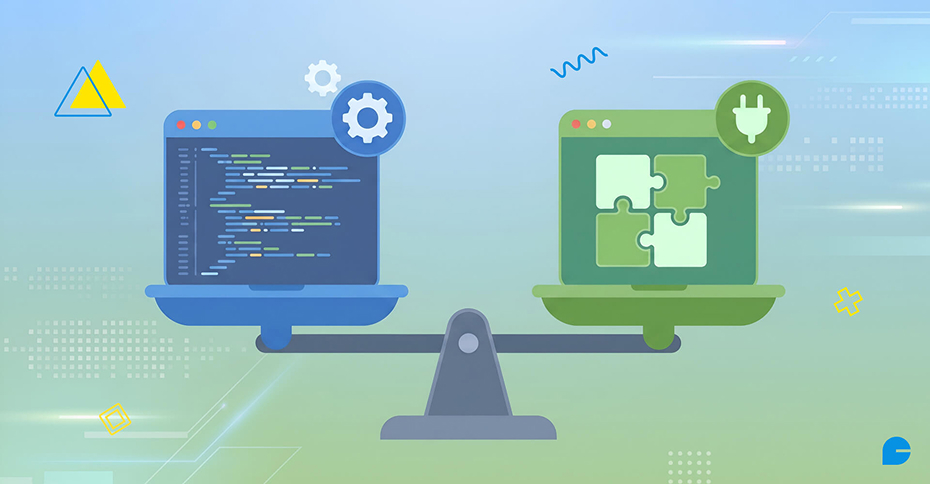
The core distinction comes down to who the solution was built for. Plugins are built for a broad audience and then adapted to fit your site. Custom code is built for your site specifically, from the first line. Plugins prioritize speed and ease of use, since the work of building the feature has already been done. Custom code prioritizes precision and long-term flexibility, since every part of it can be shaped around your exact requirements. Understanding this distinction is the starting point for deciding which approach actually fits your project.
When Custom Code Is the Better Choice
Custom code makes sense when your needs are specific. A general-purpose plugin often includes features you’ll never use. Those unused features still add weight to your site. They can also introduce security risks. Custom code includes only what you actually need. It runs leaner and loads faster as a result. Custom solutions also adapt to your exact workflow, instead of forcing you to adapt to someone else’s.
Custom code makes the most sense when:
- Your requirements are highly specific and no plugin fits well.
- Site performance and load speed are a top priority.
- You need full control over how a feature works and updates.
- Long-term licensing fees would outweigh a one-time development cost.
- Security and code ownership matter more than convenience.
When a Plugin Is the Better Choice
Plugins work well for common, well-understood needs. Thousands of plugins already exist for tasks like contact forms, SEO, and e-commerce. These tools are tested by large user bases. Bugs get caught and fixed quickly. Updates and new features arrive without extra cost to you. Plugins also require no coding knowledge to install. This makes them ideal for small businesses and solo site owners. If your need is common, a plugin usually solves it faster and cheaper than custom code.
Plugins make the most sense when:
- The feature you need is common and well-supported by existing tools.
- You want functionality live within hours, not weeks.
- You don’t have a developer on hand for ongoing maintenance.
- Your budget favors a small monthly or yearly fee over development costs.
- The plugin’s broader feature set won’t slow down your site or workflow.
Custom Code vs. Plugins: Side-by-Side Comparison
| Factor |
Plugins |
Custom Code |
| Setup speed |
Fast, often minutes |
Slower, depends on scope |
| Upfront cost |
Usually low or free |
Higher development cost |
| Ongoing cost |
Subscription or renewal fees |
Maintenance cost only if needed |
| Flexibility |
Limited to built-in options |
Fully tailored to your needs |
| Maintenance |
Handled by the plugin author |
Your responsibility |
| Performance |
Can add unused bloat |
Lean, built for the exact task |
| Best for |
Common, general-purpose needs |
Specific, unique requirements |
Also Read: How Artificial Intelligence Is Transforming Traditional Web Development Workflows?
How AI Has Changed This Decision
AI tools have made custom code far more accessible. Building a custom feature once required a skilled developer. Today, AI coding assistants can generate working code from a clear description. This lowers the barrier for smaller projects and tighter budgets.
It also raises the stakes of this decision. Custom code is now genuinely on the table for more situations. A task that once meant hiring a developer, or settling for a bloated plugin, can now be built in an afternoon. Small, narrowly-scoped features benefit the most from this shift. AI tools handle focused tasks more reliably than sprawling, multi-feature projects.
That said, AI doesn’t remove the need for good judgment. A working code snippet isn’t automatically safe, secure, or maintainable. AI-generated code still needs testing and a security review. It can also miss edge cases a plugin’s larger user base would have already caught. The decision still depends on scope, not just what’s technically possible. AI changes the cost and speed of building custom code. It doesn’t change whether custom code is the right call.
Maintenance and Long-Term Responsibility
This is the factor most site owners underestimate. A plugin’s author handles bug fixes and security updates for you. That convenience comes with a tradeoff. You depend on someone else’s responsiveness. Some plugins get abandoned over time, leaving sites stuck on outdated code. A plugin can also change direction in ways that no longer fit your site, forcing a switch to a different tool later.
Custom code shifts full responsibility to you or your developer. You control the timeline and the fixes. There’s no waiting on a third party to act. But you also own every bug, patch, and future update. As your site’s platform changes over time, custom code needs review to stay compatible.
This responsibility also scales with how much custom code you maintain. Supporting one custom feature for one website is manageable. Supporting a dozen custom features across multiple sites is a different commitment. Before choosing custom code, think about who maintains it next year. Not just who builds it today. If that answer is unclear, a plugin’s built-in support is the safer choice.
A Simple Framework to Decide
Use these questions to guide the decision:
- Does a plugin already do this well? If yes, start there before building anything custom. Most common needs, like forms, SEO basics, and galleries, are already solved reliably by existing plugins.
- Will you need this feature elsewhere later? If your needs may grow, factor in future flexibility. A narrow custom solution built for one use case may need rework if requirements expand.
- Who will maintain this long-term? Make sure you have a clear answer before going custom. If no one owns ongoing upkeep, a plugin’s built-in support is the lower-risk option.
- Does performance matter here? Heavier plugins can slow down performance-sensitive pages. For pages where speed affects conversions, like checkout or landing pages, lean custom code often performs better.
- Is this a core differentiator for your business? Unique, business-critical features often justify custom code. If a feature is central to what sets your business apart, owning that code can be worth the investment.
- What’s the real cost over time? Compare a plugin’s recurring fee against the one-time cost of custom development. For long-running projects, custom code can be cheaper despite a higher starting cost.
FAQs
1. Is custom code better than using a plugin?
Neither is universally better. Plugins are faster and cheaper for common needs. Custom code is better suited to specific, unique requirements where flexibility and performance matter more than setup speed.
2. Are plugins bad for website performance?
Not inherently, but plugins with many built-in features can add unused code that slows down a site. Choosing focused, well-coded plugins, or building lean custom code for specific needs, helps avoid this.
3. Has AI made plugins unnecessary?
No. AI has made custom code more accessible, but plugins are still faster, cheaper, and lower-maintenance for common, well-understood needs. AI simply gives site owners a real custom option for cases plugins don’t fit well.
4. Who is responsible for maintaining custom code?
Whoever builds it, whether that’s an in-house developer, a freelancer, or an agency. Unlike plugins, there’s no third-party author handling updates and security patches, so a maintenance plan should be in place before launch.
5. Can I mix plugins and custom code on the same website?
Yes. Most websites use a combination of both, relying on plugins for common functionality and custom code for unique, business-specific features.
Conclusion
There’s no single right answer in the custom code versus plugins debate. Plugins offer speed and convenience for common needs. Custom code offers precision and control for specific ones. The right choice depends on your project’s scope, your budget, and who will maintain it long-term. Weighing these factors before you build, or install, anything leads to a website that performs well today and stays manageable down the road.
Not sure whether your next feature calls for a plugin or custom code?
That’s exactly the kind of decision InCreativeWeb helps businesses make with confidence every day. Our team starts by reviewing your current setup, flagging where plugins are quietly holding your site back, and identifying where custom development would genuinely move the needle. From there, we help you weigh the cost, performance, and maintenance tradeoffs against your actual goals, not just what’s technically possible. If you’d rather have an expert walk through your options than guess, book a free consultation with our Website Development team today.
Author
Jayesh Patel
Jayesh Patel is a Professional Web Developer & Designer and the Founder of InCreativeWeb.
As a highly Creative Web/Graphic/UI Designer - Front End / PHP / WordPress / Shopify Developer, with 14+ years of experience, he also provide complete solution from SEO to Digital Marketing. The passion he has for his work, his dedication, and ability to make quick, decisive decisions set him apart from the rest.
His first priority is to create a website with Complete SEO + Speed Up + WordPress Security Code of standards.