An AI-first website is built around the question a visitor already has, not around your menu. It organizes content by decisions, remembers context as people interact, uses AI as part of the experience rather than a chat widget in the corner, and hands visitors to a real person at the right moment. It is also written so search engines, AI models and AI agents can all understand it.
Your homepage is no longer where the customer journey begins. Before someone lands on your site, they have often asked ChatGPT, Gemini or Perplexity what you do, how you compare and what you cost. Gartner has predicted that traditional search volume will fall by around 25% by 2026 as people shift to AI chatbots and virtual agents. If your website still greets every visitor like a stranger, you are repeating what they already know.
This guide explains how to design a website for that new reality. It also covers how to structure it so AI engines are more likely to cite you.
Key Takeaways
- Visitors now arrive informed, so your site should close doubts rather than repeat basics.
- Organize content around decisions (cost, fit, timeline, proof), not around page names.
- Make AI the experience itself, not a bolted-on chatbot.
- Let context build across the visit, and always give users a clear path to a human.
- Design for four audiences at once: people, search engines, LLMs and AI agents.
Why AI Changes the Role of Your Website
For two decades the website was the main classroom. A visitor landed, clicked around, collected information and slowly formed an opinion. That model worked because your site was the only place where understanding happened.
Today, AI assistants do much of that teaching. A buyer comparing web agencies, for example, may already know the services on offer, typical price ranges and two or three names worth shortlisting. What they still don’t know is whether you are right for their budget, their timeline and their risk tolerance.
So the job of your website has shifted from delivering information to building confidence. The visitor’s questions are narrower and more practical:
- How long will this realistically take?
- Will it work with what we already use?
- What happens after launch?
A page that spends its prime space re-explaining “what we do” wastes the one visit where you could answer these questions properly.
How Should Your Website Welcome Visitors Who Already Did Their Research?
Most navigation menus still follow the old pattern: Services, Solutions, Pricing, About. This assumes the visitor needs to browse to figure out what they want. An AI-informed visitor usually knows exactly what they want.
Imagine someone planning an online store rebuild. They are not searching for a link called “Services.” They are trying to answer: Can you migrate my products without losing rankings? What will it cost? Who else has done this?
That information is typically scattered across a service page, a pricing section and a testimonials block. The fix is not adding more pages. It is organizing content around decisions instead of pages. Bring cost ranges, timelines, fit criteria and proof together in one clear view that mirrors the question being asked.
A practical way to start is to list the five questions your best leads ask on sales calls, then make sure each has a direct, scannable answer within one click of your homepage.
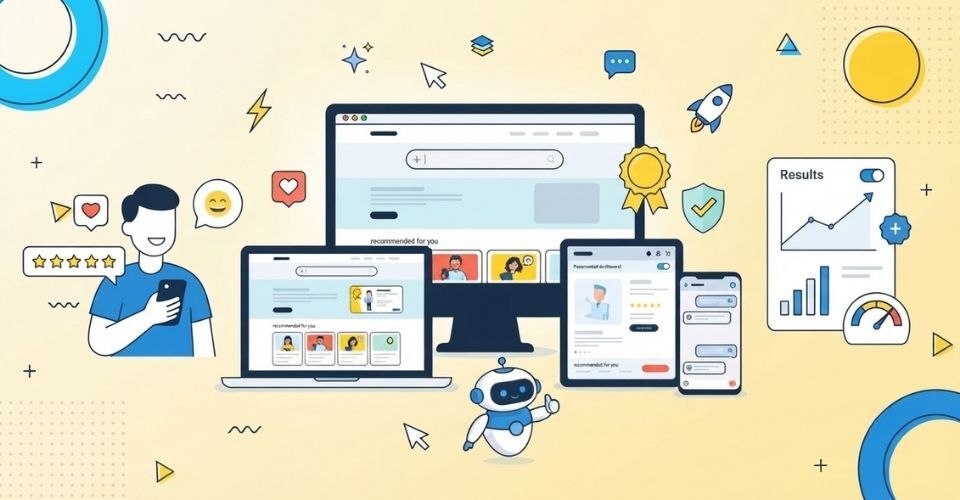
AI as a Feature vs. AI as the Experience
When businesses hear “AI-first,” many add a chatbot to the corner of an unchanged site. The navigation, layout and content stay exactly the same, with a chat bubble on top. That makes AI a side feature, not a redesigned experience. (If you are weighing that route, our guide on integrating AI chatbots into your website covers the benefits and best practices.)
A stronger approach treats the conversation as the interface. As the visitor describes their need, the page itself responds: relevant services surface, irrelevant sections fade back, and a pricing range or recommended package updates in view. The conversation becomes the navigation.
The best versions also leave something behind. Instead of a chat that vanishes when closed, the visitor gets a visible summary they can return to, such as a shortlist, an estimate or a suggested plan.
The difference is simple. A feature answers a question and disappears. An experience remembers what it learned and uses it to shape what comes next. For a deeper comparison, read AI UX vs. Traditional UX Design.
Why Context Matters More Than Quick Answers
Many AI tools treat each question as a brand-new transaction. Real decisions don’t work that way. A question about website cost leads to a question about what’s included, which leads to support, which leads to timelines. Each answer changes what the person needs next.
An experience that resets after every message forces users to keep re-explaining themselves. That is exactly the friction an AI-first site is meant to remove.
Design so that context accumulates:
- Each response should narrow the options, not widen them.
- Earlier choices (industry, budget, goal) should shape later suggestions.
- The visit should end with something useful: a shortlist, a recommendation or a clear next step.
What visitors take away matters more than how many questions they asked.
Where Should AI Hand Over to a Human?
A plan or shortlist is not the finish line. Gartner’s 2026 research found that roughly 69% of B2B buyers still turn to a person to validate AI-generated insights before they decide. People use AI to get informed, then want a human to confirm.
That makes the handoff a core design element. The goal of your AI layer is not to replace your team. It is to make talking to your team feel like the natural next step.
In practice this means:
- Offering a “talk to a specialist” option once the AI has gathered enough context.
- Passing the conversation summary to your team so the visitor never repeats themselves.
- Placing booking links or contact forms right where confidence peaks, not buried in the footer.
When AI does the narrowing and a person does the closing, both do what they do best.
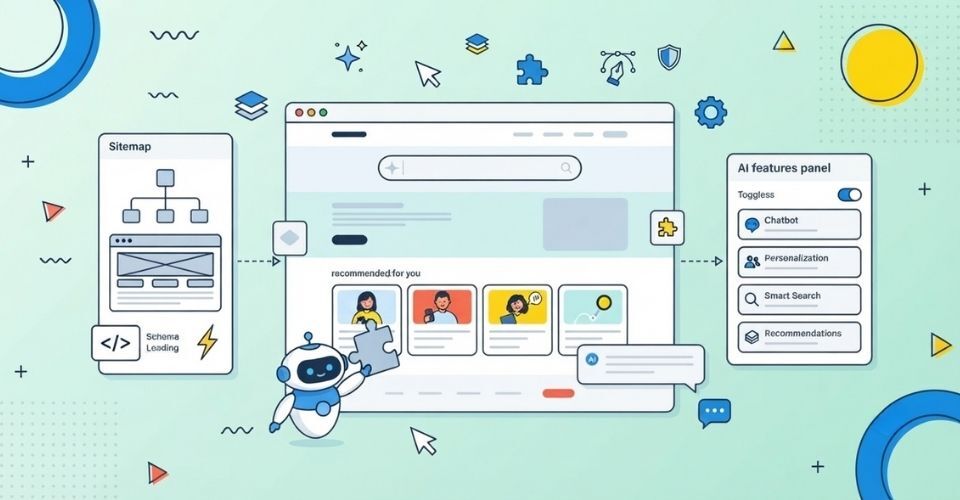
Do AI-First Principles Apply to Internal Tools?
Yes, and arguably more strongly. Employees using dashboards, admin panels and CRMs suffer from the same problem: tools designed around what software can do, not what the person needs to decide.
A support team’s long, multi-step form is a good example. People skip fields, make errors and slow down. An AI-first redesign keeps the process but pre-fills a first draft at each step. The employee still makes the final call; they simply start further ahead. The principle is identical to customer-facing design: reduce effort, keep humans in control.
What Does an AI-First Website Actually Do Differently?
Pulling it together, four shifts separate an AI-first website from a traditional one:
- It starts by asking what the visitor is trying to decide.
- It gathers scattered information into one decision-focused view.
- It carries context forward instead of resetting.
- It hands off to a person at the right moment.
It also has to serve four audiences at the same time:
| Audience |
What they need |
| Humans |
A clear, fast, well-designed experience |
| Search engines |
Crawlable, well-structured pages |
| LLMs (ChatGPT, Gemini, Perplexity) |
Unambiguous content that can be summarized accurately |
| AI agents |
Actions they can complete, such as booking or requesting a quote, not just text to read |
Most sites today are built for the first audience only. That is also why many never appear in AI answers. To improve that side, see our guides on making your website AI-search ready and Generative Engine Optimization.
A 6-Step Checklist to Design Your AI-First Website
- Collect real questions. Pull them from sales calls, support emails, Search Console and AI tools.
- Map decisions, not pages. Group content under cost, timeline, fit, risk and proof.
- Write answer-first. Open every section with a direct 40–60 word answer, then add detail. AI engines favor content they can lift cleanly.
- Add structure. Use clear headings, FAQ sections, tables and schema markup (FAQPage, Organization, Article, Service).
- Build the conversation layer. Choose where AI genuinely helps (guided recommendations, instant estimates, smart search) and keep context across steps.
- Measure and refine. Track AI referral traffic, engagement and handoff conversions. Our post on AI traffic analytics shows how to read visitors from AI platforms.
FAQs
1. What is an AI-first website?
An AI-first website is designed around how people now research and decide, often through AI tools. It organizes content around visitor questions, uses AI as part of the experience, and is structured so AI engines can read and cite it.
2. Is an AI-first website the same as adding a chatbot?
No. A chatbot added to an unchanged site is a feature. An AI-first site rethinks navigation, content and flow so the conversation shapes what the visitor sees.
3. How does AI-first design improve user experience?
It cuts repeated explanations, answers decision-stage questions faster, remembers context and gives users a clear route to a human when they are ready.
4. Will an AI-first design help my site appear in AI Overviews?
It helps. Clear structure, answer-first writing, FAQs and schema make your content easier for AI systems to understand and quote, although no one can guarantee a specific placement.
5. Do small businesses need an AI-first approach?
Yes. Small businesses often benefit most, because clear answers to cost, timeline and trust questions can win visitors who would otherwise choose a bigger competitor.
Conclusion: Build for the Question, Not Just the Click
You will not win by out-explaining an AI answer engine. Visitors already have the basics when they arrive. The websites that thrive will pick up exactly where the AI conversation left off. They will answer the real doubts, remember context and make it easy to talk to a person.
That is a design challenge more than a technology one, and it is where a creative, structured approach pays off.
Ready to Make Your Website AI-First?
At InCreativeWeb, our team combines UI/UX design, web development and SEO services to build websites that users love and AI engines can understand.
Book a free consultation or schedule a quick Zoom call and let’s redesign your site around your customers’ real questions.
Author
Jayesh Patel
Jayesh Patel is a Professional Web Developer & Designer and the Founder of InCreativeWeb.
As a highly Creative Web/Graphic/UI Designer - Front End / PHP / WordPress / Shopify Developer, with 14+ years of experience, he also provide complete solution from SEO to Digital Marketing. The passion he has for his work, his dedication, and ability to make quick, decisive decisions set him apart from the rest.
His first priority is to create a website with Complete SEO + Speed Up + WordPress Security Code of standards.