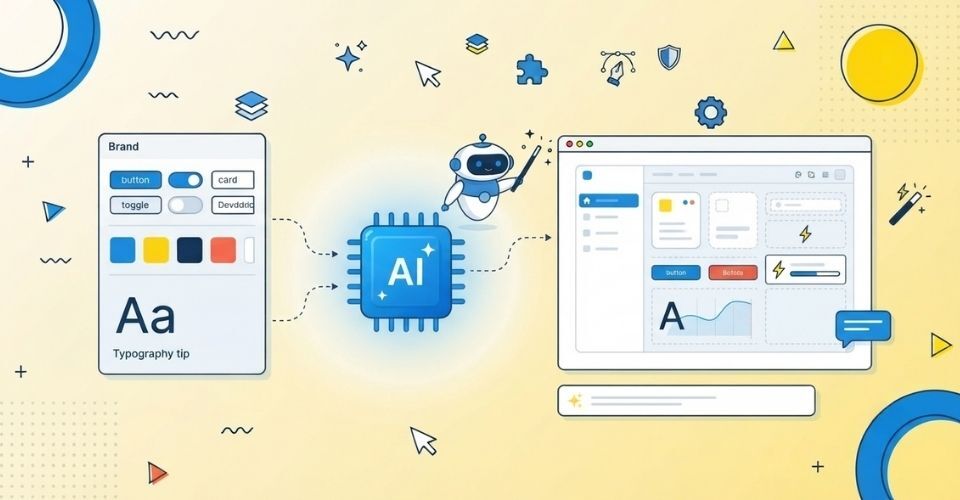
Generative UI is an approach where AI selects, assembles, and adapts interface elements in real time, based on a user’s intent, context, and data. In 2026, it is shifting design systems from static component libraries into rule-based frameworks that AI can build with safely. Design systems are not becoming obsolete. They are becoming the guardrails that keep AI-generated interfaces consistent, accessible, and on-brand.
For years, every visitor to a website saw the same screen. A designer drew it, a developer built it, and it stayed that way until the next redesign. Generative UI breaks that pattern. Two people can open the same product and see different layouts, components, and content, each shaped around what they are trying to do at that moment. For anyone building websites and digital products, one practical question follows: what happens to the design system when the interface starts building itself?
What Is Generative UI?
Generative UI is an interface that AI creates or assembles dynamically instead of loading a fixed, pre-designed screen. The AI reads signals such as user intent, role, behavior, device, and live data. It then decides which components, layout, and content to show.
It rarely means AI draws every pixel from scratch. In most real products, AI picks from a library of approved components and arranges them for the situation. A dashboard might show a detailed comparison table to an analyst and a simple summary card to a first-time visitor. Both views come from the same design system.
Generative UI vs. Traditional UI vs. Adaptive UI
| Approach |
Who decides the layout |
How it changes |
Example |
| Traditional UI |
Designer, in advance |
Only with a redesign |
A fixed landing page |
| Adaptive / Responsive UI |
Developer-defined rules |
Reacts to screen size or simple conditions |
A menu that collapses on mobile |
| Generative UI |
AI, within defined rules |
Assembled in real time for each user and context |
A dashboard that rebuilds around the user’s current task |
The key difference is who makes the layout decision, and when. In traditional UI, humans decide before launch. In generative UI, a system decides at the moment of use, which is exactly why the rules it follows matter so much.
Why Design Systems Matter More, Not Less
A common worry is that AI will make design systems redundant. The opposite is happening.
A design system was never just a component library. It is a set of decisions about spacing, hierarchy, tone, accessibility, and behavior. Generative UI needs exactly those decisions, written clearly enough for a machine to follow.
Without them, AI-generated interfaces tend to drift. You see mismatched layouts, weak visual hierarchy, accessibility gaps, and off-brand styling that changes from one session to the next. With them, AI gets flexibility inside clear boundaries.
The simplest way to remember it: AI provides adaptability, and the design system provides structure.
5 Ways AI Is Changing Modern Design Systems
1. Components Become a Vocabulary for AI
Components used to be reference material for human designers. Now they are the approved vocabulary an AI model can use. That means every component needs more than a visual spec. It needs clear metadata describing what it is for, when to use it, and when not to.
2. Design Tokens Become the Consistency Layer
Tokens for color, spacing, typography, and corner radius keep output consistent even when the composition is different every time. If your tokens are solid, a generated screen still looks like your brand, even though no designer arranged it by hand.
3. Guidelines Become Machine-Readable Rules
Advice like “use sparingly” or “keep it clean” works for people but not for AI. Rules now have to be explicit. Examples include a maximum number of items per card, which components may sit side by side, which states are required, and the minimum color contrast allowed.
4. Designers Move From Screens to Systems
Instead of drawing every possible screen, designers define the components, patterns, and constraints that let AI produce many correct screens. The deliverable shifts from a single layout to a system that reliably generates good outcomes.
5. Governance Becomes Part of Design
Teams must now decide what AI may generate, what it may not, and where a human reviews output before users see it. This is no longer purely an engineering question. It is a design decision that shapes the user experience and brand trust.
What a Design System Needs to Be Generative-UI Ready
Use this checklist to test whether your current system could safely support AI-assembled interfaces:
- Documented components: clear usage rules, not just visuals
- Design tokens: color, spacing, typography, sizing, and radius defined once and reused everywhere
- Reusable states: loading, empty, error, success, warning, and disabled
- Built-in accessibility: contrast ratios, focus order, keyboard support, and ARIA patterns
- Content rules: tone, reading level, hierarchy, and length limits
- Interaction rules: the patterns that are allowed, and the ones that are explicitly banned
- Responsive rules: predictable behavior at every screen size, even when the layout is assembled on the fly
- Governance: approved components, restricted patterns, and human review checkpoints
If several of these items are missing, fix them before you let AI near your production interface.
Also Read: Google Gemini Personal Intelligence: How AI Personalised Image Generation Is Changing Web Design in 2026
Risks of Generative UI Without Guardrails
Unrestricted AI generation does not remove design problems. It multiplies them, because they become unpredictable across users and sessions. The most common risks are:
- Inconsistent layouts and weak visual hierarchy
- Accessibility failures that no one catches before launch
- Unpredictable interactions that confuse users
- Brand drift across pages and sessions
- Cognitive overload from too many dynamic elements
- Interfaces that are hard to test, debug, and maintain
These are not just technical annoyances. They affect usability, trust, and long-term maintainability. Most of them trace back to missing rules, not to the technology itself. That is why constrained generation, where AI works only inside an approved system, is the more reliable path.
How Designer and Developer Roles Are Changing
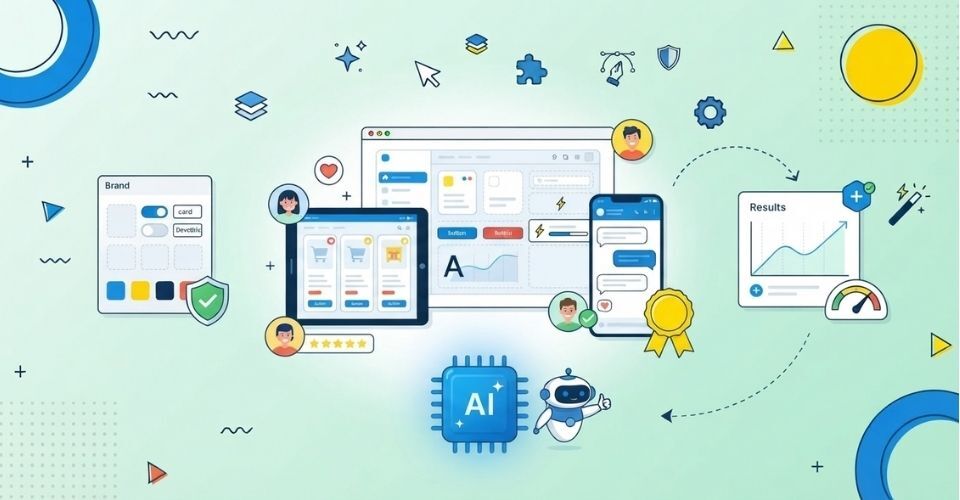
Designers increasingly act as system architects. They define patterns, write constraints, audit AI output, and own accessibility standards. The job blends experience design, systems thinking, and AI interaction design.
Developers, meanwhile, build the bridge between the design system and the AI layer. They expose components in a structured way, enforce rules in code, and set up testing for interfaces that no longer have a single fixed version. Smaller teams will usually split these responsibilities rather than expect one person to own everything.
For a deeper look at how the design process itself is evolving, read our breakdown of AI UX vs. Traditional UX Design.
How to Prepare Your Website for Generative UI
You do not need to rebuild everything. Start with these five steps:
- Audit your current design system. List your components, tokens, and patterns, and note what is documented versus what lives only in people’s heads.
- Standardize reusable components. Separate what is ready for reuse from what needs cleanup first.
- Write explicit usage rules. Make them specific enough for software, not just people, to follow.
- Pick workflows where dynamic UI adds real value. Dashboards, onboarding flows, and personalized content hubs are usually better candidates than static brand pages.
- Set up testing and governance. Decide what gets reviewed, by whom, and how often.
Not every screen benefits from being generative. Weigh user need, product value, technical effort, and risk before you adopt it, rather than adopting it because it is possible. Your site also has to be readable by AI systems themselves. Our guide on how to make your website AI-search ready covers that side of the equation.
Build a Design System That’s Ready for AI
At InCreativeWeb, our UI/UX designers create scalable design systems, clean component libraries, and user-first interfaces that stay consistent as your product grows.
FAQs
1. What is generative UI?
Generative UI is an interface that AI builds or assembles in real time based on user intent, context, and data, instead of showing every user the same fixed screen.
2. Does generative UI replace design systems?
No. Design systems become more important because they supply the approved components, tokens, accessibility standards, and rules that AI-generated interfaces depend on.
3. How do you control AI-generated UI?
You control it with a defined component library, design tokens, explicit usage and interaction rules, accessibility requirements, testing, and human review at key checkpoints.
4. What are the biggest risks of generative UI?
The main risks are inconsistent layouts, accessibility failures, unpredictable interactions, brand drift, and cognitive overload. Most come from missing rules rather than from the AI itself.
5. How should businesses prepare for generative UI?
Audit your design system, standardize components and tokens, write clear usage rules, strengthen accessibility, choose workflows where dynamic UI genuinely helps, and set up governance before scaling.
Conclusion
Generative UI changes how design systems are used, but it does not make them unnecessary. The strongest products in 2026 will not let AI generate anything it likes. They will let AI generate within a well-defined system of components, tokens, and rules. Designers will spend less time drawing individual screens and more time shaping the systems that let interfaces adapt without losing consistency or usability.
If you want a website or product built on a design foundation that is ready for what comes next, our team at InCreativeWeb, can help with strategy, design, and development.
Author
Jayesh Patel
Jayesh Patel is a Professional Web Developer & Designer and the Founder of InCreativeWeb.
As a highly Creative Web/Graphic/UI Designer - Front End / PHP / WordPress / Shopify Developer, with 14+ years of experience, he also provide complete solution from SEO to Digital Marketing. The passion he has for his work, his dedication, and ability to make quick, decisive decisions set him apart from the rest.
His first priority is to create a website with Complete SEO + Speed Up + WordPress Security Code of standards.