For years, “how are we ranking?” was the only question that mattered in SEO. Now Google itself has added a second question to the dashboard: “are we being shown inside AI answers?”
Search Console recently rolled out a Generative AI performance report, a dedicated section that tracks how often your pages appear inside AI Overviews and AI Mode – separate from your normal ranking data. If you’ve spotted a new “Generative AI” tab under Performance and wondered what it means for your website, this guide breaks it down in plain terms and shows you what to actually do with the numbers.
What Is Google’s Generative AI Performance Report?
The Generative AI performance report is a section inside Google Search Console, found under Performance → Generative AI, that shows how often a link to your website appeared inside an AI Overview or AI Mode result. Before this report existed, that visibility was invisible – folded into your regular Search results numbers with no way to separate it out.
This matters because AI Overviews behave differently from a standard blue link. Your content can be synthesized into an AI-generated answer, cited as a source, and read by a user who never scrolls down to your listing at all. That’s a form of visibility your old ranking reports were never built to capture – and it’s exactly what this new report isolates.
It’s worth being clear on scope: this report only tracks Google’s own AI features. It has no visibility into ChatGPT, Perplexity, Copilot, or the Gemini app. If a visitor arrives from one of those tools, it shows up as referral traffic in your analytics platform, not inside Search Console.
How to Find and Read the Report
Accessing the report takes under a minute:
- Sign in to Google Search Console and select your property.
- Open Performance, then Search results.
- Look for a second entry underneath it, labeled Generative AI (marked Beta).
- You’ll land on a Total Impressions summary and a daily chart.
- Use the tabs – Pages, Countries, Devices, Days – to change how the data underneath is grouped.
- Adjust the date range (7 days, 28 days, 3 months, or custom) to widen or narrow your window.
- Export the data as a spreadsheet if you want to track it over time.
If the tab isn’t showing up yet, it usually means one of two things: your site hasn’t accumulated enough AI-feature impressions to populate a report, or your content is excluded from AI features through a robots or meta configuration. It’s rarely a sign that something is “broken.”
Also Read: How to Make Your Website AI-Search Ready in 2026
What the Data Actually Measures (and What It Doesn’t)
This is the part that trips people up: the report currently shows impressions only. No clicks, no click-through rate, no average position, and no query-level breakdown.
An impression means a link to your page was shown inside an AI-generated answer – whether or not the user ever noticed it, read it, or clicked through. A high impression count tells you Google’s AI systems consider your content a strong match for that query. It does not tell you whether that visibility drove a single visit.
That distinction matters more than it sounds. A number like “40,000 AI impressions this quarter” can look impressive in a report, but without a click figure attached, you don’t actually know if it moved your business. Treat this data as a visibility signal, not a performance metric.

The Four Dimensions: Pages, Countries, Devices, Days
Each tab reorganizes the same underlying data:
- Pages: which specific URLs are earning AI visibility. This is the view to check first if you want to know what content Google’s AI systems are pulling from.
- Countries: where the impressions originated, useful for confirming your visibility matches the markets you actually serve.
- Devices: desktop, tablet, or mobile. AI features skew heavily mobile, so this helps confirm exposure lines up with how your audience actually searches.
- Days: the standard date-based view, with the most recent day or two often shown as a dotted line, meaning the data is still being finalized. Don’t read too much into a dip on the newest data point.
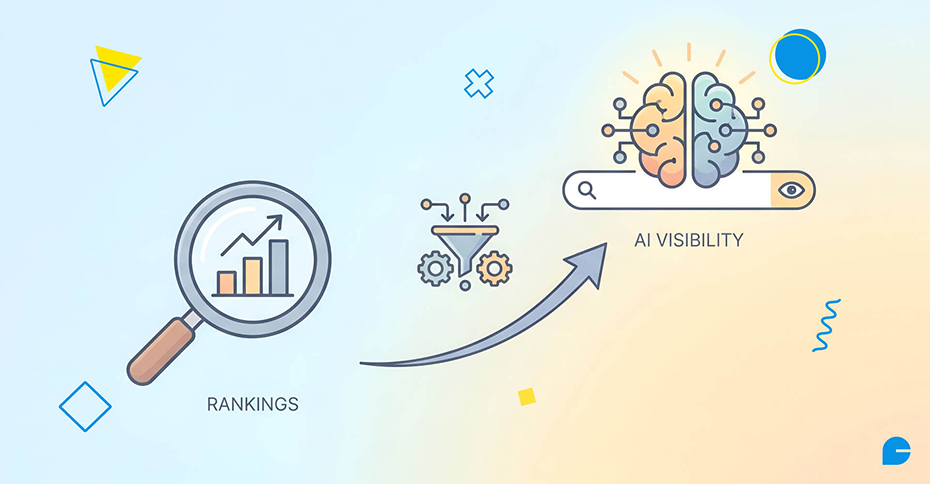
Rankings vs. AI Visibility: Two Different Games Now
Traditional SEO is transactional: you rank, someone clicks, they land on your page. AI visibility works differently. Your content gets absorbed into someone else’s summary, and the user may get a fully satisfying answer before your brand name ever registers with them.
This is where SEO (ranking in traditional results) and GEO/AEO (structuring content so AI systems can accurately extract and cite it) start to diverge as disciplines, even though the two overlap heavily in practice. A page that’s clearly structured, directly answers a specific question, and cites credible information tends to perform well in both worlds at once – which is really the core idea behind Generative Engine Optimization.
The trade-off is real: some queries that used to generate a click in 2024 are now answered entirely inside the AI result. But when a click does happen from an AI citation, that visitor has typically already been pre-qualified by the summary – smaller traffic volume, often higher intent.
A 5-Step Framework for Reading Your Own Data
Rather than staring at a single “total impressions” number, work through it like this:
- Check the Days tab first. Isolate any spikes. Did you publish or update something around that date? Sudden jumps often trace back to a specific page catching an AI system’s attention.
- Switch to Pages. Identify which URLs are driving the bulk of impressions – often FAQ-style, comparison, or “how to” content.
- Cross-reference against your regular Search results report for the same pages and window. If clicks rose too, the AI visibility is likely additive. If clicks stayed flat while impressions rose, that page may be getting “answered” without earning the visit.
- Check Devices to confirm the split matches your actual audience behavior.
- Check Countries if you serve multiple markets, to make sure visibility lines up with where your customers actually are.
Also Read: AI Discovery Explained: How to Prepare Your Website for AI Search
Common Mistakes Businesses Make With This Report
- Treating impressions as a traffic metric. It isn’t one – pair it with click and conversion data before making decisions.
- Assuming a missing report means something is broken. More often, the property simply hasn’t crossed the impression threshold yet.
- Confusing this with tracking for ChatGPT, Gemini, or Copilot traffic. This report is Google-specific, full stop.
- Chasing every spike as if it represents a durable shift, when it may just be a temporarily trending query.
- Ignoring the report because “it only shows impressions.” A partial view of AI visibility is still more than most businesses had before this report existed.
How to Prepare Your Website for the AI Visibility Era
If your Pages tab shows strong AI impressions but weak clicks in your regular Search report, that page is a strong candidate for a structural refresh, not a rewrite. A few practical moves:
- Lead with a direct answer. Put the core answer to the page’s main question in the first few lines, before background or context.
- Use question-based subheadings. They mirror how users phrase queries and how AI systems parse a page for extractable answers.
- Build out FAQ sections on pages already earning impressions – question-and-answer formatting is exactly what AI Overviews tend to pull from.
- Keep information current. AI systems favor clearly sourced, up-to-date pages over stale ones, so a content refresh cadence matters more than it used to.
- Check your technical foundation. Crawlability, structured data, and clean site architecture still decide whether your content is eligible to be surfaced in the first place – this is where robots.txt configuration for AI crawlers becomes relevant.
This is exactly the kind of structural and technical work our SEO Services team handles for clients – turning Search Console signals like this one into a prioritized list of pages to fix first.
FAQs
1. What is Google’s Generative AI performance report?
It’s a Search Console report, found under Performance → Generative AI, that shows how often your pages appeared inside AI Overviews and AI Mode, measured in impressions.
2. Does the report show clicks or only impressions?
Currently, impressions only. There’s no click, click-through-rate, average position, or query data yet, though Google has indicated more metrics may be added over time.
3. Why are my AI impressions rising while clicks stay flat?
This is common and expected. AI Overviews often fully answer a user’s question without requiring a click, so rising impressions don’t automatically translate into more visits.
4. Does this report track ChatGPT or other AI tools?
No. It only covers Google’s own AI features – AI Overviews and AI Mode. Traffic from ChatGPT, Perplexity, Copilot, or Gemini shows up as referral traffic in your analytics, not in Search Console.
5. What’s the difference between SEO and GEO/AEO?
SEO focuses on ranking in traditional search results. GEO (Generative Engine Optimization) and AEO (Answer Engine Optimization) focus on structuring content so AI systems can accurately extract, summarize, and cite it. The two overlap substantially but aren’t identical.
6. How do I optimize my site for AI visibility?
Prioritize clear, direct answers near the top of the page, descriptive question-based headings, well-structured FAQ sections, and accurate, current content backed by credible sourcing.
Final Thoughts
Rankings still matter – but they’re no longer the only signal worth tracking. Google’s Generative AI performance report gives you, for the first time, a direct read on whether your content is considered citable by AI systems, separated cleanly from your traditional Search performance.
Treat it as a visibility check, cross-reference it against your click data, and use it to decide which pages deserve a structural refresh first. If you’d rather have a team turn this data into an actual action plan, our Digital Marketing and SEO Services teams can help you move from “ranking well” to being visible everywhere search is happening.
Ready to make your website AI-visible? Talk to our team about a free AI-visibility and SEO audit.
Author
Jayesh Patel
Jayesh Patel is a Professional Web Developer & Designer and the Founder of InCreativeWeb.
As a highly Creative Web/Graphic/UI Designer - Front End / PHP / WordPress / Shopify Developer, with 14+ years of experience, he also provide complete solution from SEO to Digital Marketing. The passion he has for his work, his dedication, and ability to make quick, decisive decisions set him apart from the rest.
His first priority is to create a website with Complete SEO + Speed Up + WordPress Security Code of standards.