If you have ever tried to generate an AI image that actually looks like your life – your home, your family, your style – you know the frustration. You write a long, detailed prompt, upload a reference photo, tweak the wording a dozen times, and still get something that feels generic. That experience is changing fast.
Google has updated the Gemini app with a feature called Personal Intelligence, powered by a new model called Nano Banana 2. Together, they allow Gemini to understand your personal context automatically, pulling from your connected Google apps and your Google Photos library – so you can generate deeply personal images with a single, simple prompt. No manual uploads. No exhaustive descriptions. Just results that actually reflect your life.
Google Gemini’s Personal Intelligence feature uses Nano Banana 2 and your Google Photos library to create personalised AI images. Instead of writing long prompts or uploading photos manually, Gemini uses context from your connected Google apps to generate images that reflect your interests, style, and the people in your life – automatically.
What is Gemini Personal Intelligence?
Personal Intelligence is a layer of contextual awareness built into the Gemini app. Rather than treating every conversation as a blank slate, Gemini uses information from the Google apps you choose to connect, things like your interests, routines, and preferences, to give its responses and creations a personalised grounding from the start- a shift that reflects the broader trend of AI transforming traditional workflows across design and development.
For image generation specifically, this means Gemini already knows your aesthetic before you say a word. Ask it to “design my dream living room” and it will factor in what it knows about your tastes from the apps you have linked. There is no extra setup required. If you have already connected your Google apps to Gemini, that personal context is ready and waiting.
What is Nano Banana 2?
Nano Banana 2 is the underlying image generation model that powers this personalised experience inside the Gemini app. It is the engine that takes your personal context, your preferences, your photo labels, your lifestyle signals, and translates them into a generated image that feels specific to you rather than generic.
Unlike previous AI image tools that required detailed, technically worded prompts to get close to what you wanted, Nano Banana 2 works with simple, natural language because it already has the relevant context loaded. The model fills in the blanks you previously had to fill in yourself.
How to Generate Personalised Images Using Google Photos
Google Photos is the key to making images that include the real people in your life. Here is how to get started:
- Connect Google Photos to Gemini. Open the Gemini app and navigate to the connected apps settings. Link your Google Photos library to Personal Intelligence.
- Make sure people and pets are labelled in Photos. Google Photos lets you organise groups of people and pets with names. These labels are what Gemini reads to identify who you want in your images.
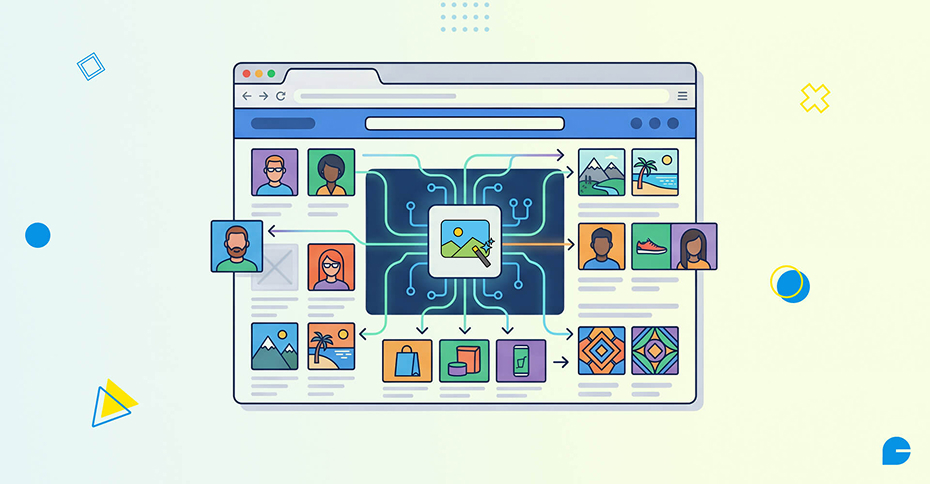
- Use a simple, natural prompt. Try something like: “Create a watercolour painting of me and my family at a beach” or “Make a claymation image of my dog in a superhero costume.” Gemini will automatically select relevant photos from your library to guide the output.
- Refine if needed. If the result is not quite right, tell Gemini what to adjust, or tap the ‘+’ icon to manually select a different reference photo. You can also check the Sources button to see exactly which photo was used.
You can experiment with styles including watercolours, oil paintings, charcoal sketches, and more, all from the same simple text prompt.
Creative Use Cases for Designers and Business Owners
For anyone running a creative business or managing a brand’s digital presence, this feature opens up genuinely useful possibilities – and it fits right into the broader shift of generative AI for business that is already reshaping how companies operate.
- Social media visuals: Generate branded lifestyle images featuring real people without a photoshoot, a game-changer for any social media marketing strategy.
- Client presentation mockups: Illustrate concepts in different artistic styles quickly during the ideation phase, complementing professional graphic designing for a more complete creative workflow.
- Personalized marketing content: Create imagery that reflects your specific audience’s world rather than stock photo generics.
- Product in-context images: Place your products inside scenes that reflect your target customer’s lifestyle.
At InCreativeWeb, we work with businesses that need their digital presence to feel genuinely personal. Tools like this make it far easier to produce visual content that connects, not just content that looks polished.
AI image generation is just one piece of the puzzle. If you are already exploring how AI can enhance your website experience, our guide on integrating AI chatbots into your website is worth reading alongside this.
Privacy and Your Data – What Google Guarantees
A natural concern with any AI tool that accesses your photos is privacy. Here is what Google has confirmed: the Gemini app does not directly train its models on your private Google Photos library. The personal context used to generate images stays within your session. Connecting Google apps to Gemini is fully opt-in, and you can disconnect any app from your settings at any time.
Google trains on limited data – primarily specific prompts in Gemini and the model’s responses – to improve functionality over time, but not on your personal photo library. You can review which sources were used for any image by tapping the Sources button directly in the app.
Wrapping up
AI image generation has long struggled with one fundamental problem: the gap between what you imagine and what you actually get. Google’s Personal Intelligence feature in Gemini, powered by Nano Banana 2 and your Google Photos library, is one of the most meaningful steps yet toward closing that gap – moving from generic outputs to images that genuinely reflect your life, your people, and your style.
For designers, marketers, and business owners, the implications are significant. Visual content that once required a photoshoot or a skilled prompt engineer can now come from a single, simple sentence. The creative barrier is lowering, and that means more time spent on strategy and storytelling – where the real value lives.
At InCreativeWeb, we help businesses build digital presences that make the most of tools like these. Whether you need help integrating AI-generated visuals into your brand strategy, building a high-converting website, or developing a content approach that stands out, our team is ready to help. Get in touch with our Digital Marketing team now to start a conversation.
FAQs
1. What is Google Gemini’s Personal Intelligence feature?
Personal Intelligence is a feature in the Gemini app that uses context from your connected Google apps and Google Photos to make AI responses and image generation feel personalised to you – without requiring detailed prompts or manual photo uploads.
2. How does Gemini create images with my photos?
When you connect your Google Photos library to Gemini’s Personal Intelligence, Gemini can use the people and pet labels you have set in Photos to include specific individuals in generated images. You simply describe what you want in plain language.
3. What is Nano Banana 2?
Nano Banana 2 is the AI image generation model used inside the Gemini app. It powers the personalised image creation experience by combining your personal context with image generation to produce results tailored to your life and preferences.
4. Is it safe to connect my Google Photos to Gemini?
Yes. Google states that Gemini does not train its models on your private photo library. Connecting Google Photos is opt-in, and you can disconnect it at any time from your Gemini settings.
5. Who can use personalised image generation in Gemini?
The feature is currently rolling out to Google AI Plus, Pro, and Ultra subscribers in the United States, with plans to expand to more users and to Gemini in Chrome on desktop.
6. Can I use Gemini AI images for my business or website?
You can use Gemini-generated images for personal and creative use. For commercial use in marketing or on a business website, review Google’s current usage policy for Gemini-generated content to ensure compliance, and if you need help building a content strategy around it, explore our SEO services.
Author
Jayesh Patel
Jayesh Patel is a Professional Web Developer & Designer and the Founder of InCreativeWeb.
As a highly Creative Web/Graphic/UI Designer - Front End / PHP / WordPress / Shopify Developer, with 14+ years of experience, he also provide complete solution from SEO to Digital Marketing. The passion he has for his work, his dedication, and ability to make quick, decisive decisions set him apart from the rest.
His first priority is to create a website with Complete SEO + Speed Up + WordPress Security Code of standards.