Someone asks ChatGPT for the best web design agency in their city. They get three names, click one, browse two pages, and fill in a contact form. That visit was real, it converted, and in most analytics setups nobody can tell you where it came from.
This is the blind spot almost every website has right now. AI assistants have quietly become a discovery channel, and the default analytics setup was built for a web where people typed queries into a search box. If your “Direct” traffic has been climbing without explanation, this guide will help you find out why – and what to do about it.
What is AI traffic analytics?
AI traffic analytics is the practice of identifying, measuring, and interpreting website visits that originate from AI assistants and AI-powered search experiences such as ChatGPT, Google Gemini, Perplexity, Microsoft Copilot, and Claude.
It differs from traditional analytics in three ways:
- The referrer is unreliable. Many AI visits arrive with no referrer data at all, so they are filed as Direct.
- Volume is not the main metric. AI traffic is usually small but high-intent, so engagement and conversion matter more than session count.
- Visibility happens without clicks. Your brand can be recommended inside an AI answer and never generate a session.
In short, AI traffic analytics is about measuring a floor, not a total – and reading the trend rather than the absolute number.
Why AI traffic hides in your analytics
Every session arrives with two labels: a source (where it came from, like chatgpt.com) and a medium (the type of visit, like organic or referral). Google Analytics 4 uses those two labels to sort sessions into channels.
Clicks from AI assistants used to arrive with the medium referral, which meant they landed in the Referral bucket next to random forum mentions and directory links. On 13 May 2026, Google added a native AI Assistant channel to GA4’s Default Channel Group. When GA4 recognises a supported AI referrer, it now assigns the medium ai-assistant, the campaign (ai-assistant), and files the session into its own channel with no setup required.
That fixed part of the problem. Three gaps remain:
- The recognised list is incomplete. Google’s documentation names examples like ChatGPT, Gemini, DeepSeek, Copilot, and Grok. Perplexity is not in the official definition and typically still lands in Referral.
- Google’s own AI answers are invisible. Clicks from AI Overviews and AI Mode carry a normal Google referrer and count as Organic Search. There is currently no way to separate them inside GA4.
- It is not retroactive. Data for this channel only exists from May 2026 onward, so your chart starts flat even if AI sent you visitors for a year before that.
Where each AI platform lands in GA4
Use this as your reference table when auditing your own reports:
| AI platform |
Referrer GA4 usually sees |
Default channel |
| ChatGPT (web) |
chatgpt.com |
AI Assistant |
| Google Gemini |
gemini.google.com |
AI Assistant |
| Microsoft Copilot |
copilot.microsoft.com |
AI Assistant |
| DeepSeek / Grok |
deepseek.com / grok.com |
AI Assistant |
| Perplexity |
perplexity.ai |
Referral |
| Claude |
claude.ai |
Referral or AI Assistant |
| Google AI Overviews / AI Mode |
google |
Organic Search |
| Any AI mobile app |
no referrer |
Direct |
The pattern is worth internalising: anything that strips the referrer becomes Direct, and anything Google owns becomes Organic Search.
How to check your AI traffic in 2 minutes
Before you configure anything, find out what you already have.
- Open Reports → Acquisition → Traffic acquisition.
- Change the primary dimension to Session source.
- Click Add filter and choose Session source → matches regex.
- Paste this pattern:
chatgpt\.com|chat\.openai\.com|perplexity\.ai|gemini\.google\.com|copilot\.microsoft\.com|claude\.ai|grok\.com|deepseek\.com|you\.com|copilot\.cloud\.microsoft
This works across your full date range, because GA4 always recorded the referrer – only the channel label is new.
One warning: keep the pattern specific. A lazy shortcut like .ai will happily match “mail”, “domain”, and half the internet.
Also Read: How to Make Your Website AI-Search Ready in 2026
How to build a permanent AI Search channel group
A filter disappears when you close the report. For a permanent row that sits next to Organic Search in every standard report, create a custom channel group.
- Go to Admin → Data display → Channel groups.
- On the Default Channel Group, choose Copy to create new and name it “AI Search view”.
- Click Add new channel and name it AI Search.
- Add two conditions joined by OR: Session source matches regex (the pattern above), and Session medium exactly matches ai-assistant.
- Save, then click Reorder and drag AI Search above Referral. Apply and save.
Step 5 is the one everyone skips, and it silently breaks everything. GA4 assigns each session to the first matching rule from the top down. New channels are created at the bottom of the list, below Referral, so a perplexity.ai session matches Referral first and your new channel reports zero forever.
Custom channel groups apply retroactively and do not alter your underlying data, so you can experiment safely. Standard GA4 properties allow two custom channel groups.
How to find the pages AI tools actually cite
Volume tells you that AI is sending traffic. Knowing which pages earn the citations tells you what to write next.
- Open Explore and start a free-form exploration
- Rows: Landing page + query string
- Values: Sessions, Engagement rate, Session key event rate
- Filter: Session source matches regex (same pattern)
- Add Session source/medium as a second dimension to see which assistant favours which page
The output is a ranked list of your most AI-cited URLs. In practice these are almost always comparison posts, pricing explainers, “best X for Y” guides, and pages containing very specific, verifiable details – which is a loud hint about your content roadmap.
Why your AI traffic number is always too low
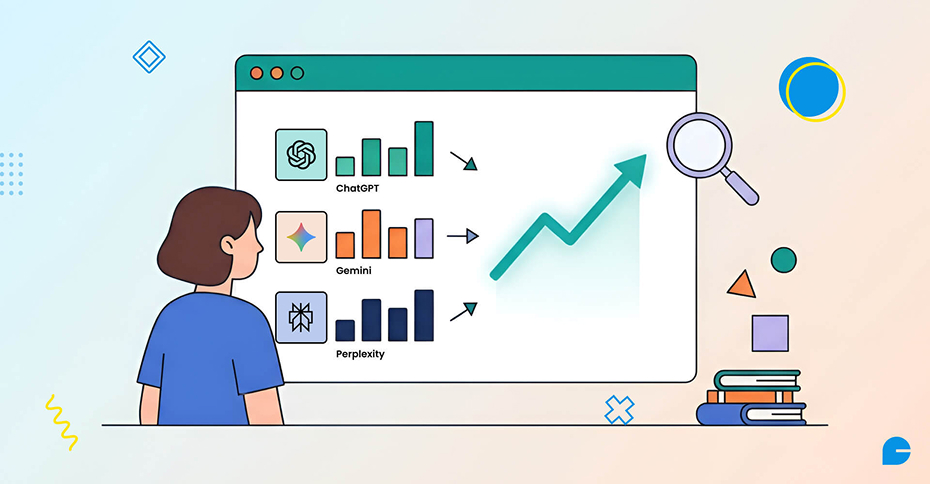
Whatever figure you end up with, the real number is higher. Three structural reasons:
- No referrer, no record. Mobile apps, in-app browsers, and copy-paste navigation strip the referrer. No regex can match an empty field. ChatGPT partially compensates by appending utm_source=chatgpt.com to many outbound links, but not all of them.
- Google’s AI answers blend into organic. AI Overviews and AI Mode clicks are indistinguishable from classic search clicks in GA4.
- Zero-click recommendations leave no trace. If someone reads your brand name in an AI answer and searches for you directly two days later, the attribution is gone – but the influence was real.
Treat your AI channel as a lower bound. Report the trend line, not the total.
Beyond GA4: tracking AI visibility without clicks
Because clicks only capture part of the story, pair GA4 with two other layers:
1. Server log analysis
Your access logs record AI crawlers by user agent – GPTBot, OAI-SearchBot, PerplexityBot, ClaudeBot, Google-Extended, Bingbot. Rising crawl frequency on a URL often precedes citations appearing in AI answers. This is also where you verify that your robots.txt rules for AI crawlers are doing what you intended.
2. AI visibility monitoring
Track how often your brand appears in AI answers for your priority prompts. This is share-of-voice measurement rather than traffic measurement, and it is the only way to see zero-click visibility. Our roundup of AI visibility and GEO tools compares the practical options.
Together, the three layers answer three different questions: Are AI crawlers reading my site? Am I being cited? Is that citation sending anyone here?
How AI visitors behave differently
AI-referred sessions tend to look unusual in your reports, and mostly in a good way:
- Higher intent: The visitor arrives pre-qualified, having already been told you are a fit for their problem.
- Fewer, longer sessions: They often skip the research phase and land on service or pricing pages directly.
- Stronger conversion rate per session: Small traffic numbers can outperform large organic numbers on revenue.
Segment your key events by the AI Search channel before you judge the channel on volume. A channel that sends 40 sessions and 3 enquiries deserves more attention than one sending 4,000 sessions and none.
Also Read: AI Discovery Explained: How to Prepare Your Website for AI Search
Your 30-day AI analytics action plan
- Week 1: Run the regex check and record your baseline. Add a GA4 annotation for 13 May 2026 so nobody mistakes the new channel for a traffic spike.
- Week 2: Build and reorder the custom AI Search channel group. Verify it reports data.
- Week 3: Run the Explore report to identify your top AI-cited pages. Pull a month of server logs and count AI crawler hits.
- Week 4: Compare engagement and conversion for AI sessions against organic. Update your two most-cited pages, and make sure both are structurally clean, fast, and AI-search ready.
Then repeat monthly. AI referral volume is still small for most sites, but it is one of the fastest-growing acquisition channels available – and checking it daily is a hobby, not a strategy.
FAQs
1. Does GA4 track ChatGPT traffic automatically?
Partly. Since 13 May 2026, GA4 files recognised AI assistant referrals into a native AI Assistant channel with no setup. Sessions that arrive without a referrer – from mobile apps or copy-pasted links – still land in Direct.
2. Why does Perplexity traffic not show in the AI Assistant channel?
Perplexity is not named in Google’s official channel definition, so perplexity.ai sessions usually classify as Referral. A custom channel group with a source regex captures it.
3. Can I separate AI Overviews traffic from normal Google traffic?
Not inside GA4 today. Clicks from AI Overviews and AI Mode arrive with a standard Google referrer and count as Organic Search. Google Search Console does not break them out separately either.
4. Is AI traffic worth optimising for if the volume is low?
Yes, when you measure it by outcome rather than by sessions. AI-referred visitors arrive with a recommendation behind them, so conversion rates are typically higher than average organic traffic.
5. How do I measure AI visibility if nobody clicks?
Use AI visibility monitoring tools to track brand mentions across AI answers, and watch AI crawler activity in your server logs. Neither appears in GA4, but both indicate whether your content is being read and cited.
Final thoughts
AI assistants are now a genuine discovery layer, and your analytics can see more of it than you think – as long as you accept that what you see is a floor rather than a full picture. Set up the channel group, find your cited pages, watch the trend, and judge the channel on conversions instead of clicks.
The sites winning AI citations are not the ones with the cleverest tracking. They are the ones publishing specific, well-structured, verifiable content that an AI model can quote with confidence. Measurement tells you whether you are getting there.
Tracking AI traffic is step one. Earning more of it takes content, structure, and technical work that AI models can trust.
InCreativeWeb has spent years of experience building websites that perform – and we now help brands get found inside AI answers, not just search results. From GEO-ready content architecture to full GA4 and AI analytics setup, we’ll show you exactly where you stand and what to fix first.
Author
Jayesh Patel
Jayesh Patel is a Professional Web Developer & Designer and the Founder of InCreativeWeb.
As a highly Creative Web/Graphic/UI Designer - Front End / PHP / WordPress / Shopify Developer, with 14+ years of experience, he also provide complete solution from SEO to Digital Marketing. The passion he has for his work, his dedication, and ability to make quick, decisive decisions set him apart from the rest.
His first priority is to create a website with Complete SEO + Speed Up + WordPress Security Code of standards.